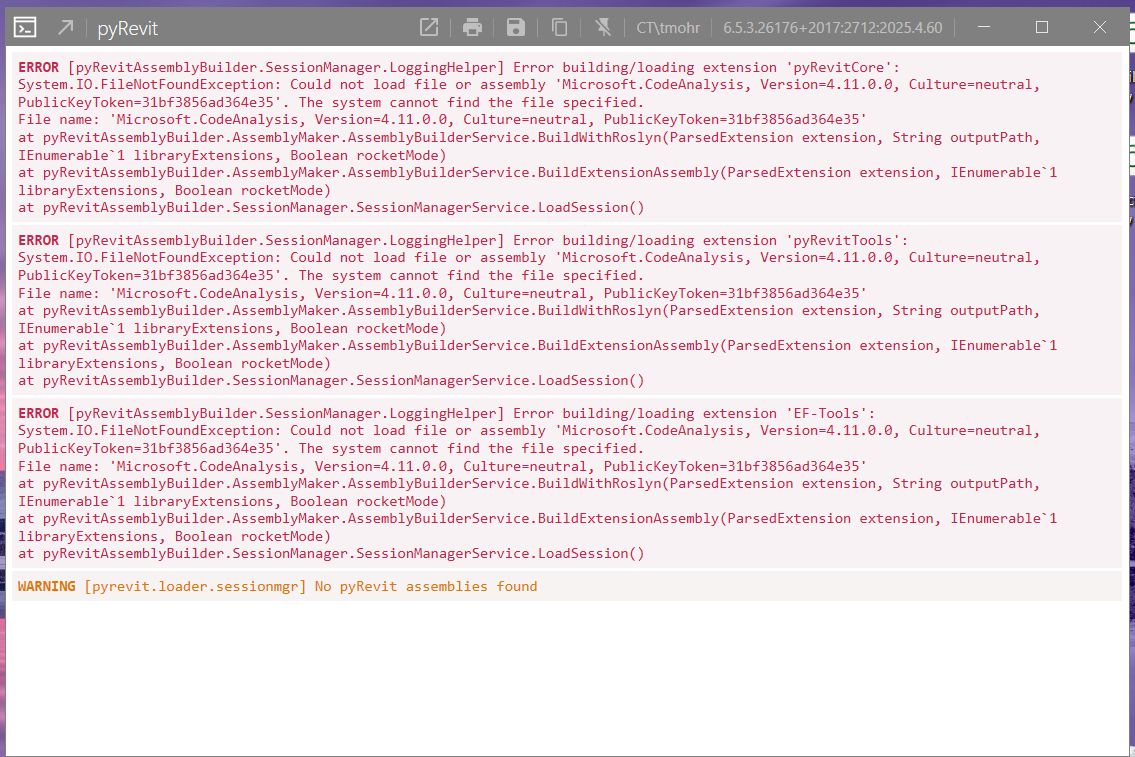
Error message in 25 and 26, loads in 23, 24, 27

I am getting the following error when opening Revit 25 and 26, but not 23, 24 or 27.

I have done the following (several times, and not necessarily in this order):

  • Uninstalled pyRevit
  • Installed pyRevit version 6.53.2617 signed and admin signed versions
  • Installed pyRevit version 6.5.2.26175 (after uninstalling pyRevit) signed and admin signed versions
  • Restarted my computer
  • Updated to the latest version of Revit 25

No one else in the office is having an issue, and it is not a problem on my laptop.
I am an IT flunky, but I suspect it might not be pyRevit itself and something else on my computer. Very specific, step-by-step instructions are greatly appreciated! Thank you!!

Do you have .Net 11 innstalled?

I don’t. But would pyRevit stop working all of a sudden or is it just because I loaded a newer version?

Took a closer look at your error message. For some reason CodeAnalysis 4.11.0 isn’t being found. I’d reinstall .Net.

Installed .NET 11 and still getting the exact same error message.

As only 25 and 26 are affected, which are net 8, I’d suggest trying to install net 8.

  • Revit 2017-2024: .NET Framework 4.7.2/4.8
  • Revit 2025-2026: .NET 8.0
  • Revit 2027+: .NET 10.0

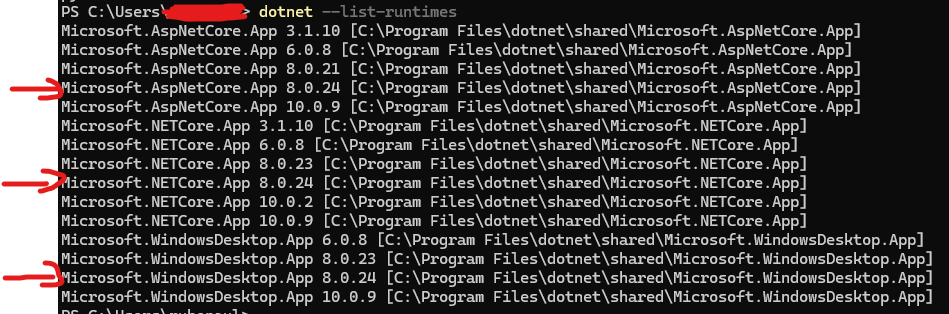
run dotnet --list-runtimes to verify and give feedback if that resolves it.

What also can happen is a conflict between other addons and pyrevit. in that case enable them one by one to track the issue.

Thank you for this suggestion! I will likely not try it until Tuesday when I am back at the office. My next step was to delete all the add ins and see if that helped, then add them back one by one. However, I’ll try your suggestion first! I’ll post the results here. Thank you!

I also have a lot of crashing on startup for R2025-R2027 lately.
But I run the developer clone, and a 5.2 clone (our org is still on 5.2), so might be my setup is not good for the dev clone and new loader.

I think the loader is mixing .net8 and .net10 dlls?
NB: Revit 26.5 updates to .NET10, previous versions are .NET8

My setup is:

  • Latest dev pulled (also tried pipenv rebuild just to make sure I have the latest build on the dev clone)
  • Revits are latest versions
  • All other addins disabled except pyRevit
  • Latest NVIDIA driver

I actually start to believe other add-ins is the main problem here.
They “poisen” the common dlls by swapping them for their own with runtime not supporting NET10 (or NET8)…
So ie. Naviate 2025 poisens the NET10 dlls for 2026 and 2027 after starting Naviate 2025 once.
Need to install their latest updates and see if the problem persist.

And wait until Autodesk releases 2025 in .NET10
We will start talking quantum entanglement in full hell!

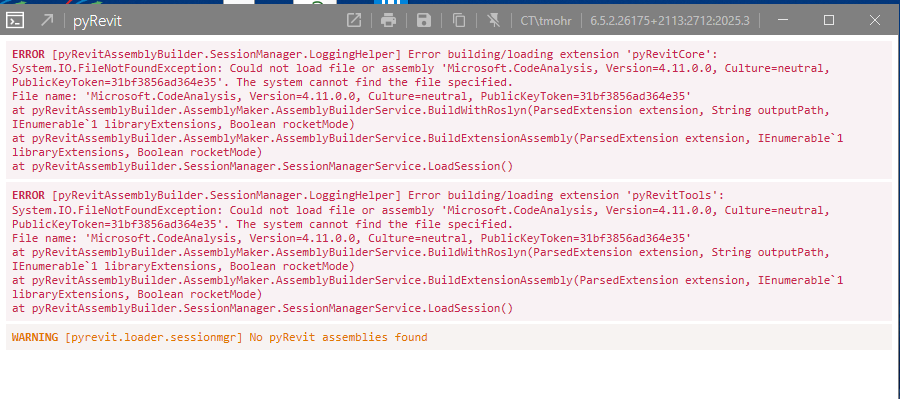
Installed .NET 11 and .NET 8 and now getting THIS error message :grimacing: :

I asked Gemini regarding the issue. Try below steps -

Solution 1: Switch to the Legacy Loader (Quickest Fix)
Disabling the experimental/new C# loader forces pyRevit back to its stable Python loader, which bypasses the Roslyn compiler.

  • Open %appdata%\pyRevit\pyRevit_config.ini file in Notepad.
  • Locate the [environment] section (or add it if missing) and set:
[environment]
new_loader = false
  • Save the file and restart Revit.

Solution 2: Clear pyRevit Caches
Corrupted cache files from a previous run or update can prevent assemblies from resolving properly.

  • Open Command Prompt (cmd).
  • Run the command:
pyrevit caches clear --all
  • Restart Revit.

Thanks for the info. I tried both but got the same (longer) error message. Time to uninstall all add-ons and then reinstall one by one.

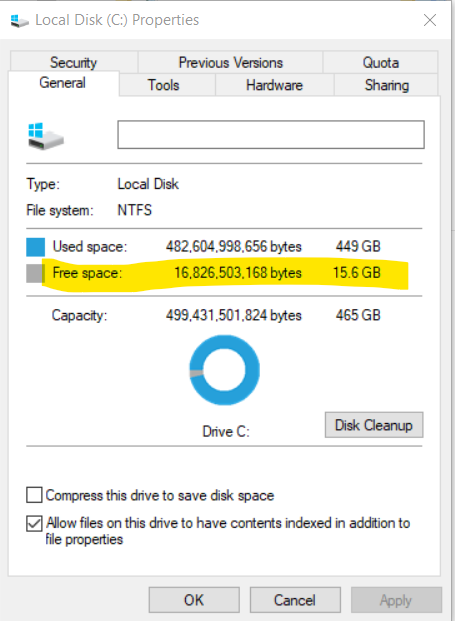
Going to ask a stupid question. Could this be the problem?

Is anyone able to check if Autodesk’s own add-ins causes the crashes?
It seems i.e. ConnectedDesktop (…\AddIns\ConnectedDesktop\) loads a NET8 dll, but I’m not sure it causes the problems, unless the new pyRevit loader depends on a NET10?

Why?..

Not a stupid question, even though it is unrelated IMO

15gb l’est is very little left for memory cache, Windows cache and Revit cache. So yes a clean up is in order. Depending on the size of models you are opening, 50 to a 100gb of free space is advisable

Someone asked if was installed. It was not, so I installed it. I’ve tried all the suggestions presented here.

I think the real issue is this:

Could not load file or assembly ‘Microsoft.CodeAnalysis, Version=4.11.0.0, Culture-neutral, PublicKeyToken-31bf3856ad364e35’

This error occurs when your application cannot locate or load the required version of the Microsoft.CodeAnalysis assembly. It often happens due to mismatched versions, missing dependencies, or incorrect configurations.

pyRevit seems to be looking for that file, and somehow it’s not on my computer. Maybe because it’s a newer version? Although I did try loading older versions and still got an error message.

The internet answer is:

Steps to Resolve

1. Update NuGet Packages

Ensure that the Microsoft.CodeAnalysis package and related dependencies are updated to the correct version in your project.

Update-Package Microsoft.CodeAnalysis -Version 4.3.0

If you’re using Microsoft.CodeDom.Providers.DotNetCompilerPlatform, update it as well:

Update-Package Microsoft.CodeDom.Providers.DotNetCompilerPlatform

2. Restore NuGet Packages

If the issue persists, delete the packages folder and restore all NuGet packages.

dotnet restore

3. Add Binding Redirects (For .NET Framework)

For .NET Framework projects, ensure that your Web.config or App.config includes a binding redirect for Microsoft.CodeAnalysis.

4. Verify SDK Compatibility

Ensure that the version of Microsoft.CodeAnalysis is compatible with your .NET SDK version. For example, some versions of Roslyn require specific SDK versions.

5. Clean and Rebuild

After making changes, clean and rebuild your solution to ensure all dependencies are correctly loaded.

dotnet clean

dotnet build

By following these steps, you should be able to resolve the error and ensure your application runs smoothly.

Which is all Greek to me and WAY out of my wheelhouse.
RESOLVED!!! Loaded an older version of pyRevit (5.3.1) no error message, and pyRevit tab is loaded!! Thanks for everyone’s input!

@tracymohr Your failure looks like the Roslyn / assembly-resolution family of issues that others have hit on netcore (wrong/missing Microsoft.CodeAnalysis, ALC conflicts with other add-ins, etc.).

Installing .NET 11 won’t fix that, pyRevit isn’t looking for a separate .NET 11 runtime for that DLL. (I think aaronrumple asked about .NET 11 as a check that it was not installed and the reason for the error. Not asking you to install it.) pyRevit is probing for a specific assembly next to the engine/assembly loaded in Revit’s default ALC. So your NuGet/rebuild advice from the web isn’t something you need to run as an end user.

Worth checking on the broken machine with v6.X (for Revit 2025/2026):

  1. Disable all other Revit add-ins temporarily (especially anything Roslyn-related like ArchSmarter tools) and retry. If it fixes it, enable one add-in at a time until i breaks. (DiRoots Addins Manager is an easy free tol for it, or use the Add-ins Manager built into Revit 2025-2027.)
  2. Compare a working Revit version (you said 2027 works) vs broken (2025/2026). Is one of your add-ins not installed for 2027?

The v5.3.1 clone will not be compitable with Revit 2027, and will not work after updates 26.5 (just released) and 25.5 which will be released in september.

A better temp fix would be to disable the new loader (you can do so in Settings) and use the old one with your new v6.X. Then you have the option to enable it and work in 2027.