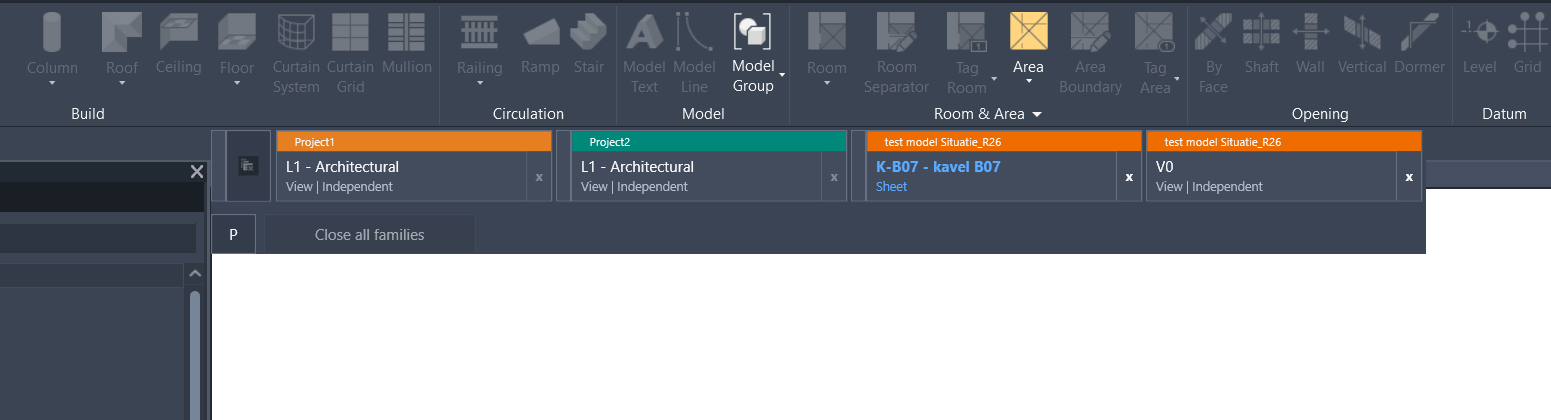
How many times have we been annoyed by project tabs not being sorted properly?
Instead of finding the right tab quickly, we often have to search for it. It is a small problem, but one that comes back every day.
I made a small tool to solve this. It keeps the tabs sorted per project, and it also has built-in tab coloring, like the pyRevit coloring tool. Everything can be changed in the settings.
If enough people are interested, I am willing to share it. Let me know what you think.
Funny. I have made a tab organiser too, that I am testing.
I can share it too once I’ve tested it fully.
I would be interested to know what your approach is.
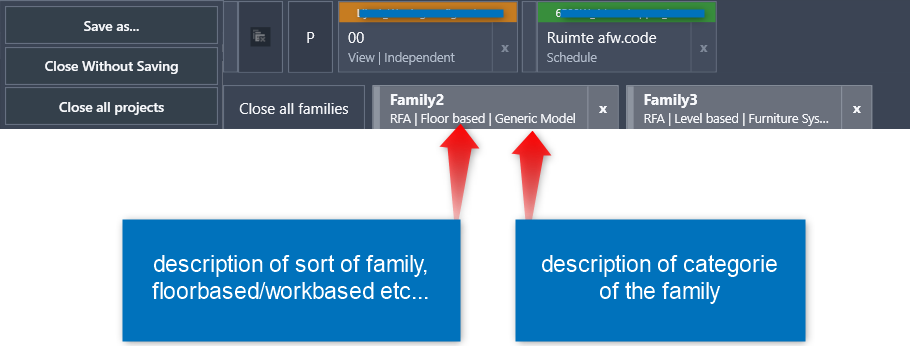
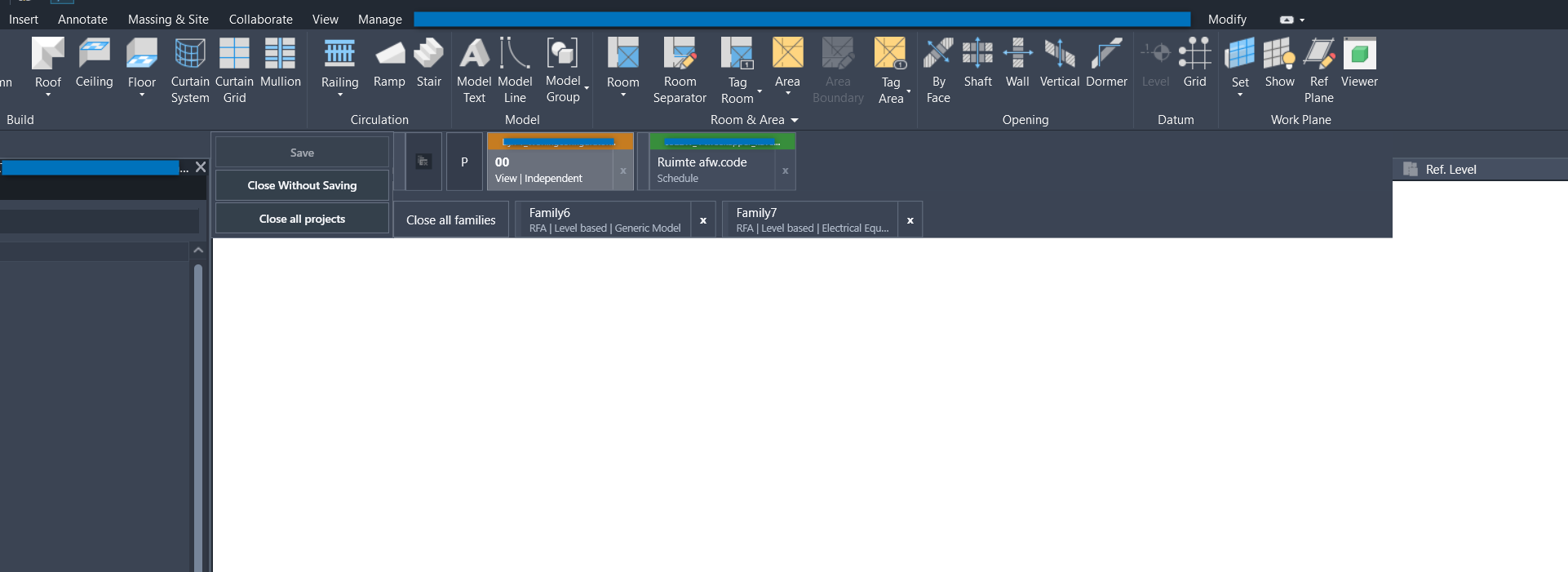
I made this tool with a simple modeless pyrevit window that shows the tabs that are open in Revit. It reads the open views and tab info, and puts them in a horizontal organizer. From there I can activate tabs, close them, just like Revit does. But more in the order I prefer.
My goal was not only to show the open tabs, but also to make working with tabs more easy and more clear in daily use. I wanted the tab order to stay stable and predictable, so it feels more natural when working. I also added settings, so users can change some settings themselves, like coloring, or start with the revit-sessie or not…(the coloring is not stable yet)
I also tried to keep the window fast, because that was important for me. Still, sometimes Revit keeps bugging the system… havn’t found a work-around for that yet…
What is your approach, and how do you deal with it when it becomes a bit slow?
(scrolling/openen/closing tabs)
Any idea how to close last opened tabs of a project (and by closing the tab also closing the project) like native Revit? I have no success with that function. I’ve a feeling that Autodesk restricted this functionality.
I think it’s a good idea, and in fact, I’ve already tried it before. I tested making it a dockable panel, so it could adapt in size.
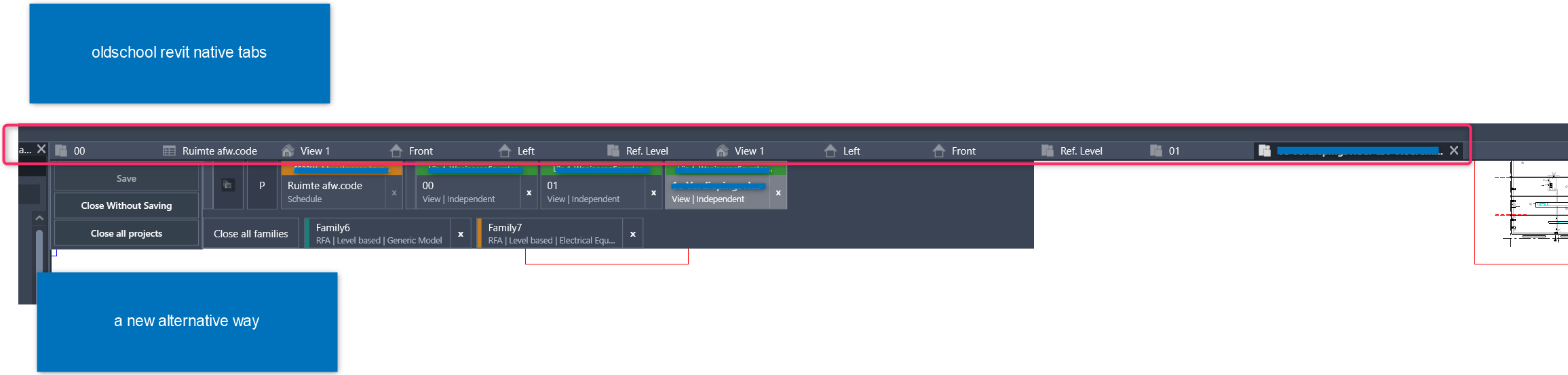
The challenge is that it feels less intuitive in that position. Users have years of muscle memory leading them straight to the original tabs, and you can’t disable those native Revit tabs. So out of habit, people keep going back there.
Right now, the problem I’m facing is a limitation from Revit itself. When I close the last view of a project, the logic breaks. I’m working on a workaround to get past that, but I’m not sure yet if it’ll succeed.
My tool just closes the open view tabs then reopens them in project order so they are grouped. That sounds easy, but it’s super complicated to open and activate each view across several documents.
Update:
I’ve managed to tackle the closing part, took a while, but I got it
Now I’ve build aswell a time-management inside the save button, it will have a red color to remind you to remind you to save your project if you haven’t saved for x-minutes (has to be set by user in settings)
I am very interested in this! Something to keep the views organized would be great along with the colored tabs!
Since you have this fantastic capability, I’m wondering if it is possible to at the same time with this tool (or perhaps a separate one) somehow be able to select multiple of the tabs that are open and then use the Tile Windows tool to tile only those views I selected (typically two). So often I have multiple views open and for whatever reason I’d like to tile a couple of those views to work on side by side for a bit. But to do that, I have to first individually close all the other tabs and then do the Tile Windows, then when I’m done, reopen the other views as I need them.
Thank you for your response, I’m still working on it, and once I have it work like I intent it to, I will consider to publish. Your comment about the Tile windows, I sadly do not relate to, because I never use the title function. Maybe because I work with one Revit session, on one screen at a time, unlike some users that prefer to put the properties en project browser to a second screen. When you use the second method I can relate more to your work-flow, correct me if I’m wrong.
I’ve added an advanced family tab organizer within it. So we will know what family we are opening and no more unnecessary views of family’s. no needed, we just open the family and we continue within the family, (max. amount of opened tabs, each user can set that up, within the settings).
And I’ve made the project pulldown more advance as well.
So it matches the color of the tab, and shows in a clean way the open projects.