Does anybody have any good suggestions for Vibe Coding pyRevit Python scripts?
I tried just a text Prompt into Gemini and it sometimes works but always requires posting errors messages back into Gemini. Sometimes even doing that it fails.
I tried uploading a working Dynamo script and tried to get Gemini to translate that into a pyRevit Python script. That worked one time but when I tried again, this time with a script that had a Package node then it didn’t work.
I have had mixed results. Is there a better way to get more consistently right results?
Also is there a way of preparing an AI to give better answers? I think the BIM Pure people made their own custom ChatGPT for doing vibe coding for Revit.
I have 4 working custom buttons working. 2 created from dyanmoBIM scripts and two created just from a text prompt.
learn about the Revit api a bit too
If you don’t know the basics, you are doomed to fail. There is no shortcut since learning the basics is the shortcut
Plus
paid LLM, Claude or ChatGPT or cursor if you need an ide
add skills with ref to existing code
learn how to prompt
Bim Pure did not build an LLM but more likey a set of skills for the LLM to use, right? @n_catellier
If you are too lazy for all of the above, use the pyrevit mcp
I am personally not a coder, but I understand the Revit API (through years of using Dynamo). I think that’s enough to create basic to medium complexity tools with AI, at least for internal use. We have a C# coder in-house whenever we want to create something more “serious” to deploy to other firms.
So my recommendation is try the MCP route
I don’t necessarily think you need to learn how to literally code line by line to get started. But having software development literacy and understanding the Revit API is very helpful.
I am a very experienced user of DynamoBIM. I have used it for many years. And even used the Python node on occasions. My day job is mainly using Revit built in tools and when they aren’t enough then I turn to Dynamo, that I spent many years learning and practising.
But sharing Dynamo scripts with colleagues has always been a pain point. Even with Dynamo Player being quite well developed.
I had a script that worked great with Dynamo player. But having it as a button on pyRevit will work much better to share with colleagues than sharing the Dynamo player script.
Google Gemini did a great job of converting my Dynamo script into a pyRevit Python script with the exact same functionality but now I can share it with colleagues as a ‘push button’ and that is much less scary than Dynamo Player.
I did not create this post because I am too lazy to learn Python. I spent years learning Dynamo and want a better way to share custom automation tools with colleagues. I thought this would be a useful post for the forum because many Dynamo users can see how they can make use of their Dynamo scripts to make pyRevit buttons with help from AI.
I’ve found Gemini very so so. Our company has executive account for ChatGPT, which works reasonably well. But it is moody. Different personalities depending on the version they are pushing on any given day. Some days it is just plain stupid. I think Claude is more solid and often use Claude to QA/QC ChatGPT code.
Ditch the Dyanmo and you’ll move faster and have better results.
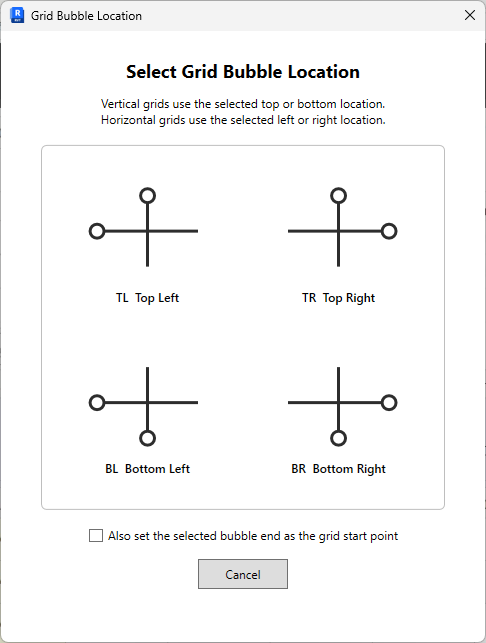
My favorite use of AI is dialog boxes. I hate writing dialog boxes. Tedious. But AI has help me speed up thee UI/UX side of things which is the part that keeps users happy.
Today’s dialog work…
I’m not a big fan of the term “vibe coding” as it implies accepting whatever comes out and going along with it. I do however use AI to get pyRevit scripts for simple, mostly one-off tools. I have a bootstrap file that sets out the form I would like a script to take, with standard modules loaded at the top, a function for the main component and the if name == main at the end. It has some standard system modules commented out and there are comments. Then when the AI creates the script it is much more consistent, it will follow the coding style of the bootstrap. Having done that I would still expect to have one or two rounds of errors. The main reasons I find I get errors is that between versions of Revit the API changes and the documentation that AI has absorbed doesn’t distinguish that well, and that there are terms like “type” that between Revit and coding in general gets used to mean a lot of very different but very precise things.
This is the sort of thing I was asking for. Despite learning Dynamo for years. I haven’t done the same with Python so am forced to rely upon ‘vibe coding’. I have had some success with using AI to convert a working Dynamo Player script into a pyRevit Python script. But if I include a ‘Bootstrap’ set up file in the prompt as well. I might have more successful outcomes.
Is it true to say that if a Dynamo script has nodes from packages that all users of a pyRevit button would require those Dynamo Packages installed? A Google search seems to say so.
This is the same for using Dynamo Player and so the pyRevit Button from Dynamo scripts presents the same problems for sharing scripts across the company.
This is why I have tested the method of converting Dynamo Scripts into a Python script using Ai Vibe Coding. Sharing the Python scripts requires less set up across the company than would keeping everyones Dynamo packages up to date. Especially since many Rveit users don’t use Dynamo at all at my company.