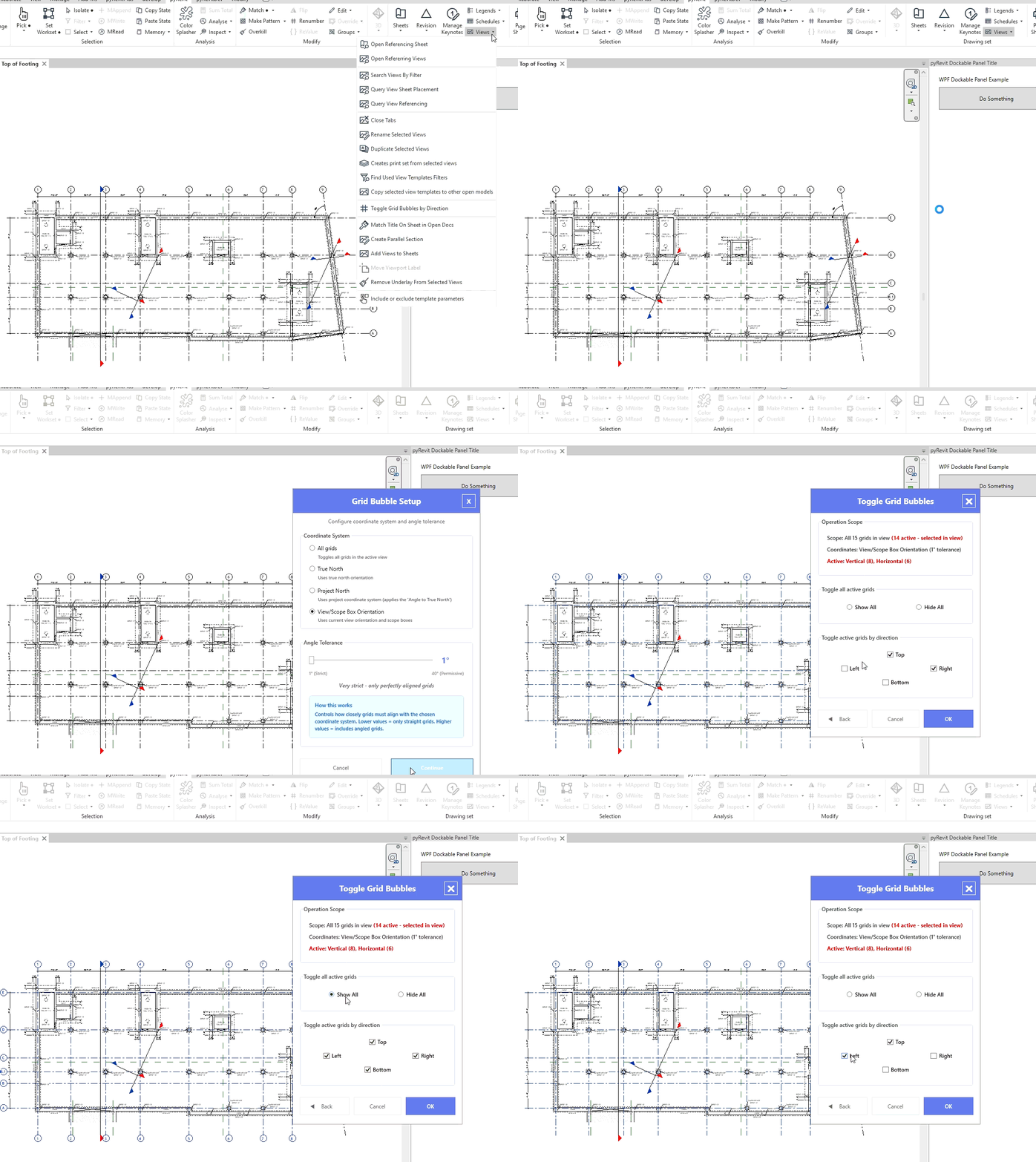
I’m currently trying to write a script that will switch each grid bubble on a view to the right or to the top depending on if it is vertical or horizontal. This is the error I’m running into. NameError: global name 'DatumsEnds' is not defined
This is the code that I am trying to run.
import clr
clr.AddReference('RevitAPI')
clr.AddReference('RevitServices')

from Autodesk.Revit.DB import *
from pyrevit import revit, forms

doc = revit.doc
view = doc.ActiveView

def move_bubbles():
    # Get list of bubbles
    grids = FilteredElementCollector(doc, view.Id).OfClass(Grid).ToElements()
    # Check that grids exist
    if not grids:
        forms.alert('No Grids on page!', exitscript=True)

    grids = FilteredElementCollector(doc, view.Id).OfClass(Grid).ToElements()
    for x in grids:
        if x.Curve.Direction.X<0:
            x.HideBubbleInView(DatumsEnds.End1,view)
            x.HideBubbleInView(DatumsEnds.End0,view)
        elif x.Curve.Direction.Y<0:
            x.HideBubbleInView(DatumsEnds.End1,view)
            x.HideBubbleInView(DatumsEnds.End0,view)

move_bubbles()
I might be missing an import, but I have no idea what it is. Any help is appreciated.
Looks like a typo. I suggest not “spilling” everything in there via import * but rather do the pyrevit way. Then your linter should pick it up.
from pyrevit import revit, forms, DB

view = revit.active_view

def move_bubbles():
    # Get list of bubbles
    grids = revit.query.get_elements_by_class(DB.Grid, view_id=view.Id)
    # Check that grids exist
    if not grids:
        forms.alert('No Grids on page!', exitscript=True)

    for x in grids:
        if x.Curve.Direction.X<0:
            x.HideBubbleInView(DB.DatumEnds.End1,view)
            x.HideBubbleInView(DB.DatumEnds.End0,view)
        elif x.Curve.Direction.Y<0:
            x.HideBubbleInView(DB.DatumEnds.End1,view)
            x.HideBubbleInView(DB.DatumEnds.End0,view)

move_bubbles()
Thanks pyrevti. That helped me get it working. It’s always the small things. Do you have a linter you recommend using? I know there’s a couple of different choices for python.
I did not know that there was an extension under that. What section of the ribbon is it under?
Is there a place that has more notes about the structure of a Revit project. I am much more familiar with programming than I am with Revit. I’m tired of doing repetitive actions though. I found the documentation, but it wasn’t as thorough as I’m used to from other languages. Is there anywhere else to look besides docs.pyrevitlabs.io.
For anyone who googles this later, this is the working code I ended up with. I think I needed to add revit.Transaction for the hide commands to work, but I’m not sure.
Once again thanks for the help everyone.
from pyrevit import revit, forms, DB

view = revit.active_view

def move_bubbles():
    # Get list of bubbles
    # grids = FilteredElementCollector(doc, view.Id).OfClass(Grid).ToElements()
    grids = revit.query.get_elements_by_class(DB.Grid, view_id=view.Id)

    # Check that grids exist
    if not grids:
        forms.alert('No Grids on page!', exitscript=True)

    with revit.Transaction("move bubbles"):
        for x in grids:
            # only show the top and right bubbles
            if x.Curve.Direction.X<0:
                x.ShowBubbleInView(DB.DatumEnds.End1,view)
                x.HideBubbleInView(DB.DatumEnds.End0,view)
            elif x.Curve.Direction.Y<0:
                x.ShowBubbleInView(DB.DatumEnds.End1,view)
                x.HideBubbleInView(DB.DatumEnds.End0,view)

move_bubbles()