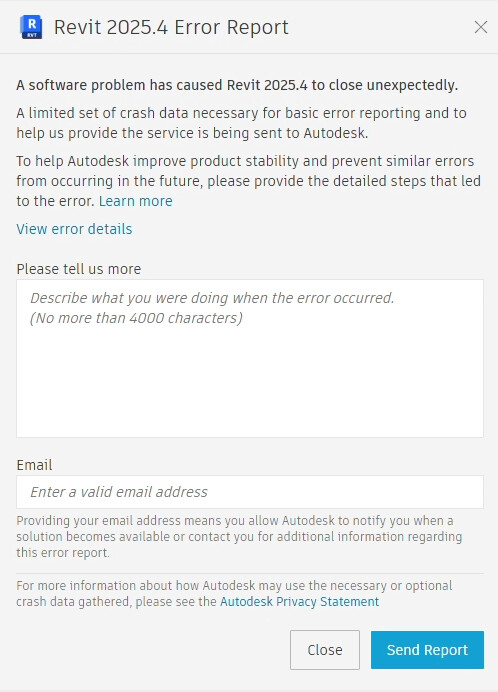
Revit 2025 keeps crashing after installing pyRevit.
i have tried to uninstall it, move the plug-ins, restart the pc, reinstall it again. but unfortunately it keep crashing! the other revit versions 2023,2024 works well.
the revit version is:
Revit 2025.4
pyRevit_5.3.1.25308_signed (i have also tried pyRevit_5.2.0.25181_signed)
i have also tried the WIP pyRevit (pyRevit_5.3.1.25317_signed).
after disabeling PyRevit using (Revit Add-Ins Manager 2025). Revit 2025 worked again!
the following issue was found in the jurnal file:
API_ERROR { : Assembly version conflict in some references in pyRevitLoader.dll assembly
Addin’s module RevitAPI of version 25.0.0.0 conflicts with same preloaded module of version 25.4.30.0
Addin’s module RevitAPIUI of version 25.0.0.0 conflicts with same preloaded module of version 25.4.30.0 }
So i think there is conflict issue. hopfully it will be solved soon!
Not a conflict per se. You will see a dozen of lines like this one with Autodesk adding as well.
Try and clean appadata and progrmadata from pyrevit folders and reinstall.
Or file an issue on our GitHub repo _ in the gh issue template, there is a link with most if not all the reason why there would be an install pb. The most recurrent one being a firewall like sentinel one not properly set.
I have already tried all the prosibilites. i have removed it, deleted the folders, removed all other plugins. but it didn’t work! i will try via Github.
I had the same issue after updating Revit 2025, Version 25.4.30.30 (Build 20250815_1515 x64). In my case it was crashing like yours and also started corrupting models. I didn’t spend too much time tracking the exact source of the problem, but I downgraded to an older Revit build and it has been stable since.
I used this command in CMD to check what was going on with the models: