I just updated from Revit 2026 to 2027 and from pyrevit 5.2.0 to 6.5.3.
When checking if my scripts needed any modifications to work with the new revit version I found that when there is a syntax error in my code it doesn’t get printed to the output window anymore.
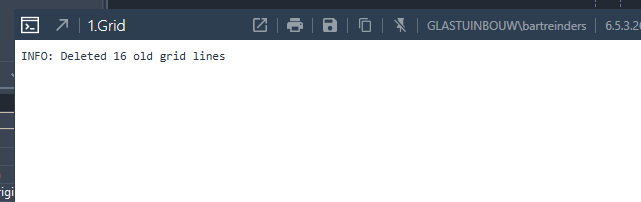
The output window does show up but stays white.
I double checked with a different computer that has revit 2026 and pyrevit 5.2.0 with the same kind of syntax error and there it does get printed.
Perhaps something I need to change in the settings?
All of my scripts have the same layout where there is an A_main_script.py that handles the interface in B_interface.py and logic that is placed in C_some_name.py .
import os
import sys

current_dir = os.path.dirname(os.path.abspath(__file__))
sys.path.append(os.path.abspath(os.path.join(current_dir, "..")))
sys.path.append(os.path.abspath(os.path.join(current_dir, "..", "..")))


from MK import check_project_information
check_project_information.main()


from pyrevit import revit, output

import B_interface as interface
import C_Grid


def main():
    #Show the interface
    window = interface.GridWindow()

    # If data has been filled in and the ok button has been pressed proceed
    if window.should_run_script:
        with revit.Transaction("Create grids") as t:
            C_Grid.GridMaker(window).main()


if __name__ == "__main__":
    main()

    out_window = output.get_output()
    out_window.close()
Visual studio code indicates one of the functions can’t be found.
Upon further investigation it seems that errors in the A_main_script.py do print to the output window but errors in imported modules sometimes do and sometimes don’t show up.
Running it works but changing the last line so it’s incorrect gives varying results. self.create_new_grids1() results in the correct error printed:
INFO: Deleted 47 old grid lines

ERROR [pyrevit.revit.db.transaction] Error in Transaction Context. Rolling back changes. | <type 'exceptions.AttributeError'>:GridMaker instance has no attribute 'create_new_grids1'
self.create_new_grids2() results in no error printed but program is stopped.
Any further changes to the line also result in no error getting printed.
When I remove the extra number at the end so it’s back to the original line the code immediatly just runs fine.
I’m quite certain I had the same in my A_main_script.py but I am unable to reproduce the missing prints when modifying this file.
I’m in a very similar situation as the one posted. Upgrading from 5.2.0 to 6.5.3 for 2027 support, errors are not printing traceback to output window (output window pops up, so I know there’s an error, but no content gets printed).
Same behavior seen, where errors in imported modules print correctly, and Syntax errors (python parsing errors, EG: unclosed bracket) print correctly, but other errors do not (EG: Object referenced before set).
_cleanengine_ = True did not solve the issue in my (limited) testing.
If I manually wrap the script in a try:except and print traceback I can get the info I need for now, but it’s a bit of a hassle.