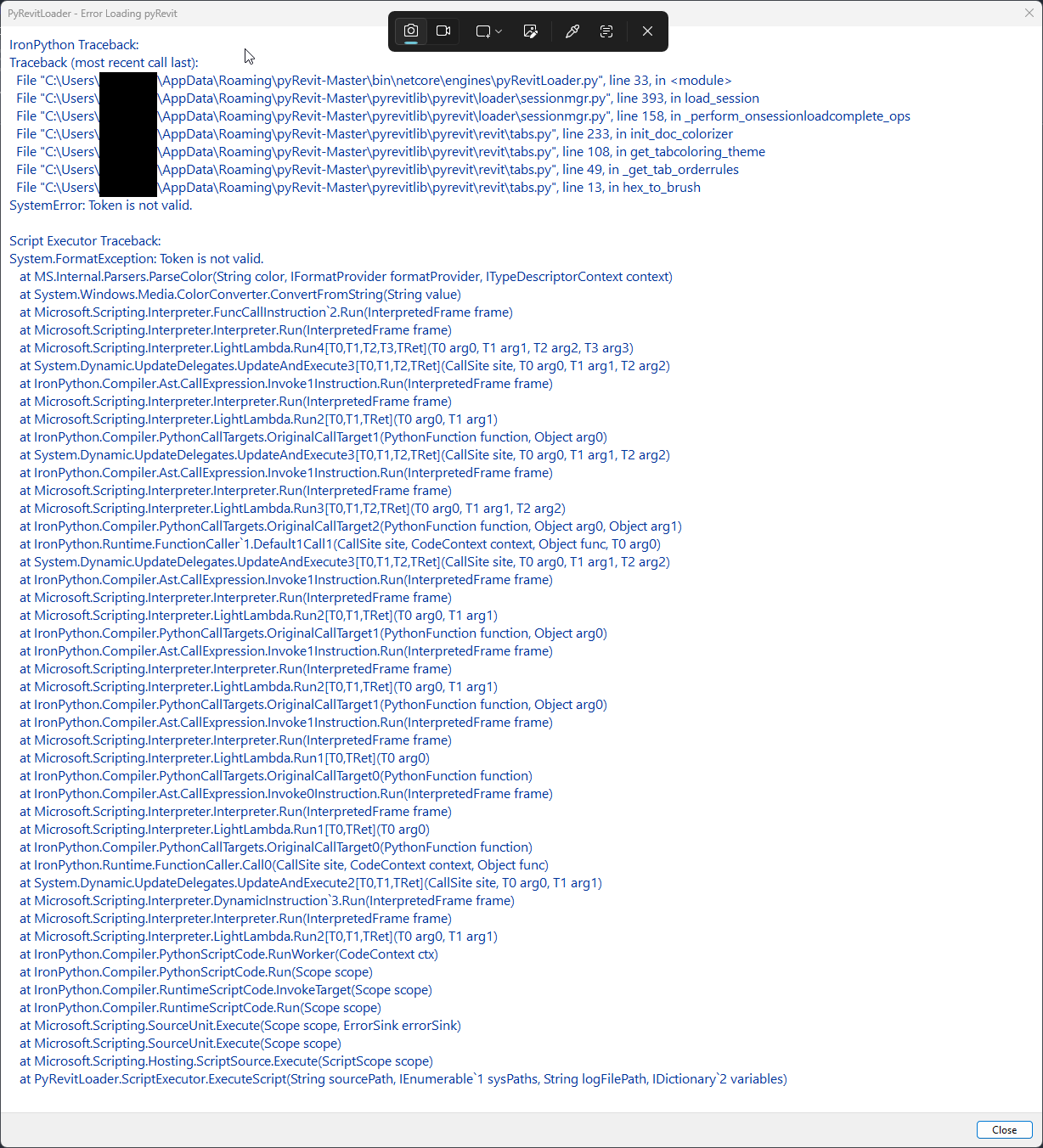
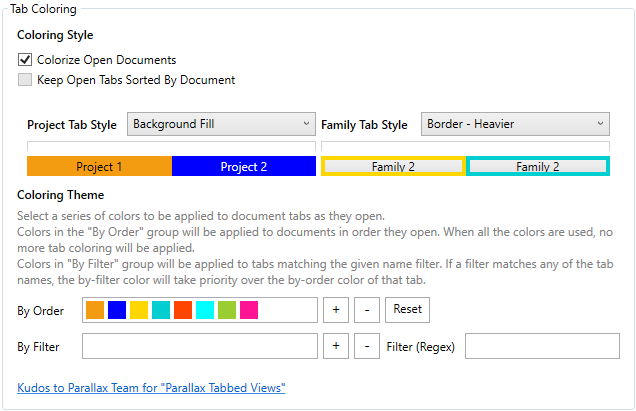
Yes, I had updated colors and tab fill in the UI/UX area. I haven’t been able to access the Settings even after uninstalling/reinstalling pyRevit since this error popup. See below for error code when trying to access settings:
IronPython Traceback:
Traceback (most recent call last):
 File "C:\Users\UserMachineName\AppData\Roaming\pyRevit-Master\extensions\pyRevitCore.extension\pyRevit.tab\pyRevit.panel\Settings.smartbutton\script.py", line 1036, in <module>
 File "C:\Users\UserMachineName\AppData\Roaming\pyRevit-Master\extensions\pyRevitCore.extension\pyRevit.tab\pyRevit.panel\Settings.smartbutton\script.py", line 121, in __init__
 File "C:\Users\UserMachineName\AppData\Roaming\pyRevit-Master\extensions\pyRevitCore.extension\pyRevit.tab\pyRevit.panel\Settings.smartbutton\script.py", line 257, in _setup_uiux
 File "C:\Users\UserMachineName\AppData\Roaming\pyRevit-Master\pyrevitlib\pyrevit\revit\tabs.py", line 108, in get_tabcoloring_theme
 File "C:\Users\UserMachineName\AppData\Roaming\pyRevit-Master\pyrevitlib\pyrevit\revit\tabs.py", line 49, in _get_tab_orderrules
 File "C:\Users\UserMachineName\AppData\Roaming\pyRevit-Master\pyrevitlib\pyrevit\revit\tabs.py", line 13, in hex_to_brush
SystemError: Token is not valid.

Script Executor Traceback:
System.FormatException: Token is not valid.
 at MS.Internal.Parsers.ParseColor(String color, IFormatProvider formatProvider, ITypeDescriptorContext context)
 at System.Windows.Media.ColorConverter.ConvertFromString(String value)
 at Microsoft.Scripting.Interpreter.FuncCallInstruction`2.Run(InterpretedFrame frame)
 at Microsoft.Scripting.Interpreter.Interpreter.Run(InterpretedFrame frame)
 at Microsoft.Scripting.Interpreter.LightLambda.Run4[T0,T1,T2,T3,TRet](T0 arg0, T1 arg1, T2 arg2, T3 arg3)
 at System.Dynamic.UpdateDelegates.UpdateAndExecute3[T0,T1,T2,TRet](CallSite site, T0 arg0, T1 arg1, T2 arg2)
 at IronPython.Compiler.Ast.CallExpression.Invoke1Instruction.Run(InterpretedFrame frame)
 at Microsoft.Scripting.Interpreter.Interpreter.Run(InterpretedFrame frame)
 at Microsoft.Scripting.Interpreter.LightLambda.Run2[T0,T1,TRet](T0 arg0, T1 arg1)
 at System.Dynamic.UpdateDelegates.UpdateAndExecute3[T0,T1,T2,TRet](CallSite site, T0 arg0, T1 arg1, T2 arg2)
 at IronPython.Compiler.Ast.CallExpression.Invoke1Instruction.Run(InterpretedFrame frame)
 at Microsoft.Scripting.Interpreter.Interpreter.Run(InterpretedFrame frame)
 at Microsoft.Scripting.Interpreter.LightLambda.Run3[T0,T1,T2,TRet](T0 arg0, T1 arg1, T2 arg2)
 at System.Dynamic.UpdateDelegates.UpdateAndExecute3[T0,T1,T2,TRet](CallSite site, T0 arg0, T1 arg1, T2 arg2)
 at IronPython.Compiler.Ast.CallExpression.Invoke1Instruction.Run(InterpretedFrame frame)
 at Microsoft.Scripting.Interpreter.Interpreter.Run(InterpretedFrame frame)
 at Microsoft.Scripting.Interpreter.LightLambda.Run2[T0,T1,TRet](T0 arg0, T1 arg1)
 at System.Dynamic.UpdateDelegates.UpdateAndExecute3[T0,T1,T2,TRet](CallSite site, T0 arg0, T1 arg1, T2 arg2)
 at Microsoft.Scripting.Interpreter.DynamicInstruction`4.Run(InterpretedFrame frame)
 at Microsoft.Scripting.Interpreter.Interpreter.Run(InterpretedFrame frame)
 at Microsoft.Scripting.Interpreter.LightLambda.Run2[T0,T1,TRet](T0 arg0, T1 arg1)
 at IronPython.Runtime.Method.MethodBinding.SelfTarget(CallSite site, CodeContext context, Object target)
 at System.Dynamic.UpdateDelegates.UpdateAndExecute2[T0,T1,TRet](CallSite site, T0 arg0, T1 arg1)
 at Microsoft.Scripting.Interpreter.DynamicInstruction`3.Run(InterpretedFrame frame)
 at Microsoft.Scripting.Interpreter.Interpreter.Run(InterpretedFrame frame)
 at Microsoft.Scripting.Interpreter.LightLambda.Run3[T0,T1,T2,TRet](T0 arg0, T1 arg1, T2 arg2)
 at System.Dynamic.UpdateDelegates.UpdateAndExecute4[T0,T1,T2,T3,TRet](CallSite site, T0 arg0, T1 arg1, T2 arg2, T3 arg3)
 at IronPython.Runtime.Types.LateBoundInitBinder.FastInitSite`1.CallTarget(CallSite site, CodeContext context, Object inst, T0 arg0)
 at System.Dynamic.UpdateDelegates.UpdateAndExecute3[T0,T1,T2,TRet](CallSite site, T0 arg0, T1 arg1, T2 arg2)
 at IronPython.Runtime.Types.PythonType.FastTypeSite`1.CallTarget(CallSite site, CodeContext context, Object type, T0 arg0)
 at System.Dynamic.UpdateDelegates.UpdateAndExecute3[T0,T1,T2,TRet](CallSite site, T0 arg0, T1 arg1, T2 arg2)
 at Microsoft.Scripting.Interpreter.DynamicInstruction`4.Run(InterpretedFrame frame)
 at Microsoft.Scripting.Interpreter.Interpreter.Run(InterpretedFrame frame)
 at Microsoft.Scripting.Interpreter.LightLambda.Run2[T0,T1,TRet](T0 arg0, T1 arg1)
 at IronPython.Compiler.PythonScriptCode.RunWorker(CodeContext ctx)
 at IronPython.Compiler.PythonScriptCode.Run(Scope scope)
 at IronPython.Compiler.RuntimeScriptCode.InvokeTarget(Scope scope)
 at Microsoft.Scripting.Hosting.CompiledCode.Execute(ScriptScope scope)
 at PyRevitLabs.PyRevit.Runtime.IronPythonEngine.Execute(ScriptRuntime& runtime)