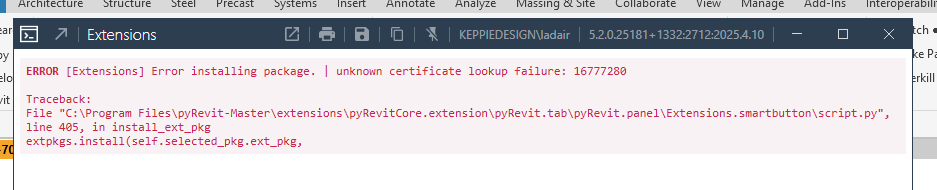
We are receiving the following error when trying to install any of the PyRevit extensions. We have tried uninstalling and reinstalling the latest version.
Lynsay
I cannot reproduce,
Which extension are you trying to install? One in particular? or none are working?
None of them are working in either Revit 2024 or Revit 2025. I found a possible solution in another post (below) waiting on IT confirming we can try. Thanks Lynsay
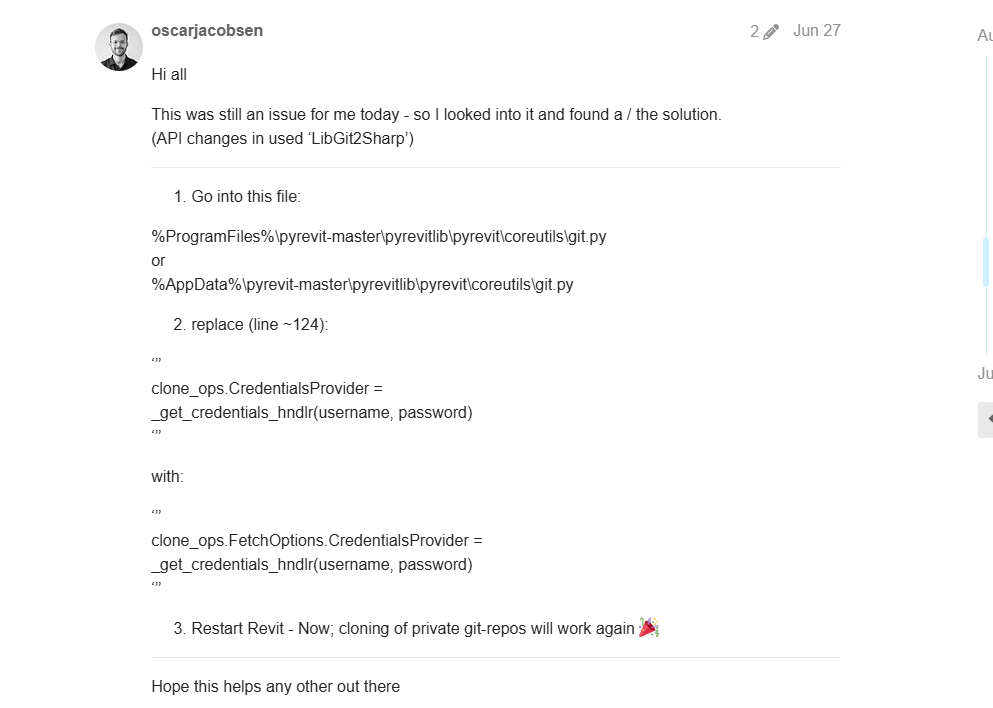
I doubt it will work, this is old news. but feel free to try.
What does pyrevit env command line output?
You’re right it didn’t work.
Command Line Output as follows
C:\Windows\System32>pyrevit env
==> Registered Clones (full git repos)
==> Registered Clones (deployed from archive/image)
master | Branch: “master” | Version: “5.2.0.25181+1332” | Path: “C:\Program Files\pyRevit-Master”
==> Attachments
master | Product: “2025 First Customer Ship” | Engine: DEFAULT (2712) | Path: “C:\Program Files\pyRevit-Master” | AllUse
rs
master | Product: “2024.3.1” | Engine: DEFAULT (2712) | Path: “C:\Program Files\pyRevit-Master” | AllUsers
master | Product: “2023.1.6” | Engine: DEFAULT (2712) | Path: “C:\Program Files\pyRevit-Master” | AllUsers
master | Product: “2022.1.8” | Engine: DEFAULT (2712) | Path: “C:\Program Files\pyRevit-Master” | AllUsers
==> Installed Extensions
==> Default Extension Search Path
C:\Users[redacted]\AppData\Roaming\pyRevit\Extensions
==> Extension Search Paths
==> Extension Sources - Default
https://github.com/pyrevitlabs/pyRevit/raw/master/extensions/extensions.json
==> Extension Sources - Additional
==> Installed Revits
2025 First Customer Ship | Version: 25.0.2.419 | Build: 20240307_1300(x64) | Language: 1033 | Path: "C:\Program Files\Au
todesk\Revit 2025"
2024.3.1 | Version: 24.3.10.22 | Build: 20241105_1515(x64) | Language: 1033 | Path: "C:\Program Files\Autodesk\Revit 202
4"
2023.1.6 | Version: 23.1.60.36 | Build: 20241107_1515(x64) | Language: 1033 | Path: "C:\Program Files\Autodesk\Revit 202
3"
2022.1.8 | Version: 22.1.80.32 | Build: 20241107_1515(x64) | Language: 1033 | Path: "C:\Program Files\Autodesk\Revit 202
2"
==> Running Revit Instances
PID: 27348 | 2025.4.1 | Version: 25.4.10.45 | Build: 20250331_1515(x64) | Language: 0 | Path: “C:\Program Files\Autodesk
\Revit 2025”
==> User Environment
Microsoft Windows 10 [Version 10.0.26100]
Executing User: [redacted]
Active User: [redacted]
Admin Access: No
%APPDATA%: “C:\Users[redacted]\AppData\Roaming”
Latest Installed .Net Framework: 8.0.19
No .Net Target Packs are installed.
Installed .Net-Core Target Packs: v8.0.413
pyRevit CLI v5.2.0.25181+1332.ad837f1fc6ac89979e64710991eb6d846b63c109
can you show what is there: C:\Users[redacted]\AppData\Roaming\pyRevit\Extensions?
there should be a extensions.json file minimally.
other avenue, try to uninstall pyrevit and install the latest WIP using the pyrevit…_signed.exe file.
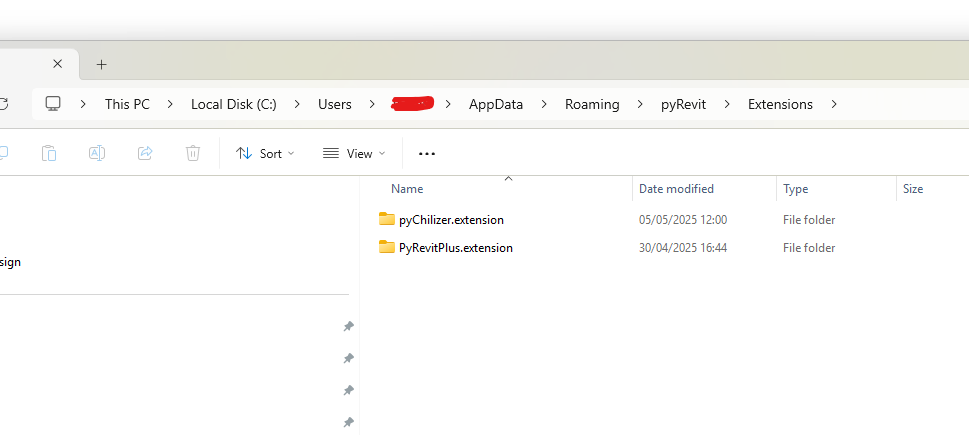
These are the extensions I installed some time ago, I have been trying to install pyArchitect and that’s when I get the error that it won’t install and it doesn’t create a folder for that extension or a .json file
Also where can I access the latest WIP exe file?
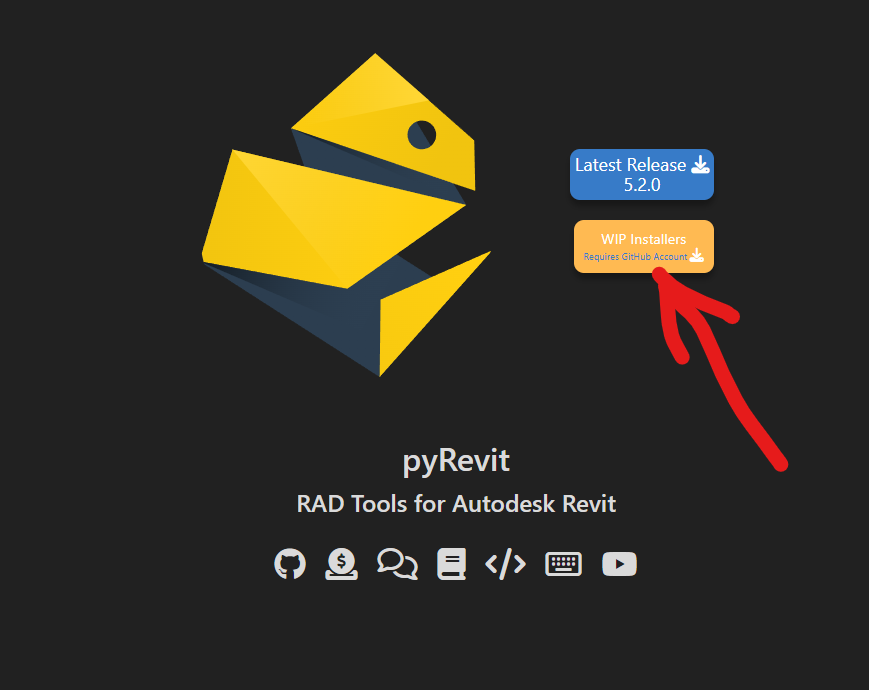
one level up you should have a pyrevit-config.ini file, send me the content in DM please
have you tried uninstalling and then installing this one then?

Issue has now been solved - IT security was blocking the url for extensions. Thanks for helping. Lynsay
1 Like