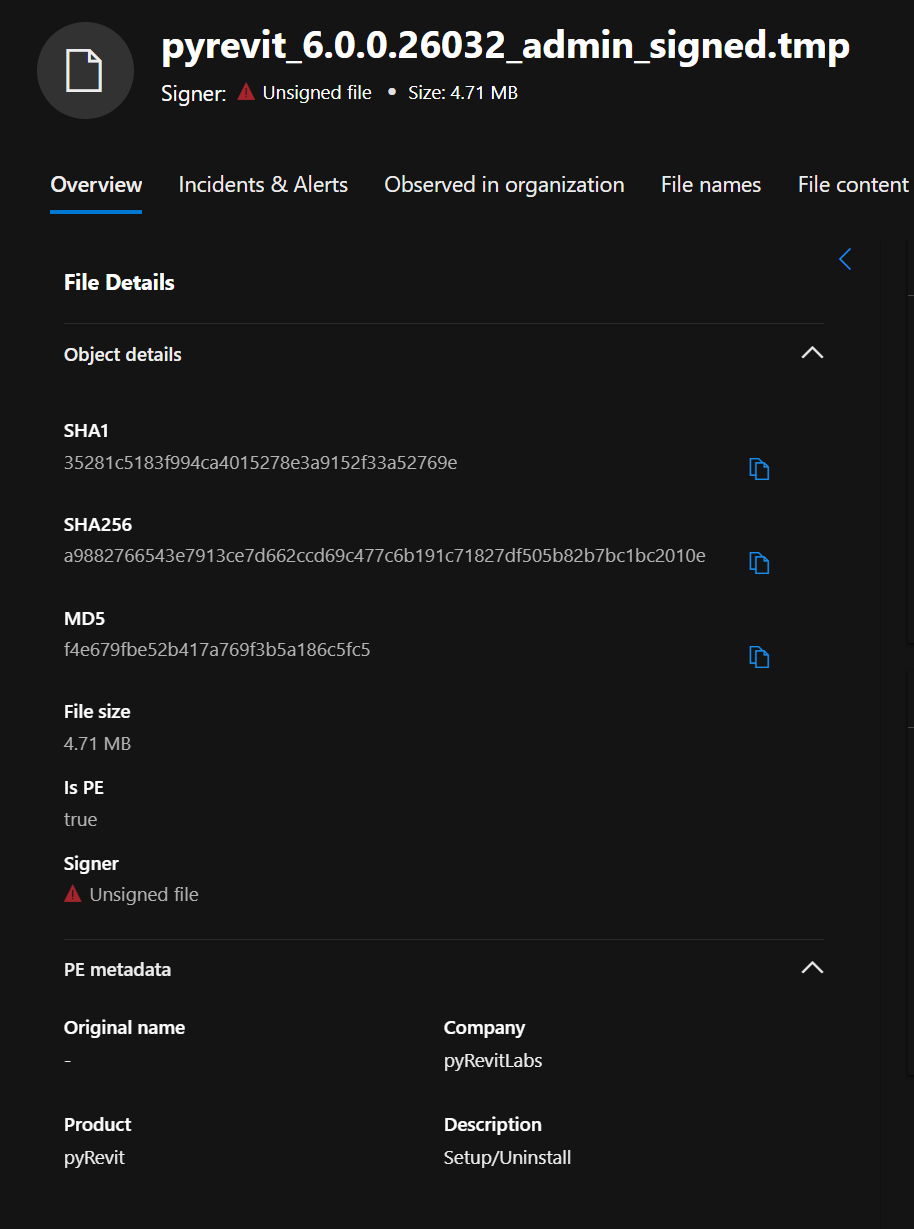
During the installation process of pyrevit_6.0.0.26032_admin_signed.exe, the pyRevit installer generates a temporary executable file named:
pyrevit_6.0.0.26032_admin_signed.tmp
Although this file uses a .tmp extension, it is actually a PE executable. At present, this executable is unsigned. When the installer attempts to run it, this leads to the file being blocked by our organisation’s endpoint security tool, which enforces restrictions on unsigned executables.
To support deployment in managed environments, would it be possible to consider Authenticode‑signing all executable components used by the installer, including any temporary or helper executables generated at runtime? Signing would ensure these components are trusted and prevent them from being falsely flagged or blocked during installation.
Here is a screenshot of the detected file being unsigned for further clarity and confirmation:
Windows 11, Uninstalled all previous versions of pyRevit, deleted pyRevit-Master folder, installed pyRevit 6.0, Revit 2022-2026 installed. Upon opening any Revit versions, I get the following message, or similar. They all refer to Revit version “22.6.2.0”. Is 6.0 not compatible with versions older than 2023? pyRevit seems to run, but every app I open presents similar warnings.
WARN [pyRevitLabs.TargetApps.Revit.RevitProduct] Revit version “22.6.2.0” not found in pyrevit-hosts.json and no binary path available to read version info
WARN [pyRevitLabs.TargetApps.Revit.RevitProduct] Could not determine Revit product for “Revit IFC 2022” (version: 22.6.2.0). This installation will be excluded from the list. This may occur if the version is not listed in pyrevit-hosts.json or if product information could not be read from the binary file.
WARN [pyRevitLabs.TargetApps.Revit.RevitProduct] Revit version “22.6.2.0” not found in pyrevit-hosts.json and no binary path available to read version info
WARN [pyRevitLabs.TargetApps.Revit.RevitProduct] Could not determine Revit product for “Revit IFC 2022” (version: 22.6.2.0). This installation will be excluded from the list. This may occur if the version is not listed in pyrevit-hosts.json or if product information could not be read from the binary file.
Hi @Jean-Marc thank you for the release of Pyrevit 6.1.0, just wondering if the issue with the unsigned temporary executables was addressed in this release?