I would like to add to that list the ability to choose where we save a pdf. After the update it now creates a folder on my desktop and saves the pdf there. I then have to move it to it’s destination. I don’t remember having to do that before the update.
I know I recently figured out if I combine pdf then I get the normal pop-up, but if I don’t it creates a folder. So I’ve just been ‘combining’ everything.
That would, and does, infuriate me personally.
I have figured out how to get it back to “normal”.
It requires changing the pyRevit script in AppData\Roaming\pyRevit-Master\extensions\pyRevitTools.extension\pyRevit.tab\Drawing Set.panel\Print Sheets.pushbutton.
Warning: This will overwrite files with the same name in the directory you choose.
A few steps and a lot of looking for code.
Replace get_dir (around line 52) with the following:
@staticmethod
    def get_dir():
        # Sets the main directory to your specific folder
        return r"C:\YOUR PATH HERE"
Replace get_folder (just below get_dir) with:
@staticmethod def get_folder(task=“_PDF”): # Returns an empty string so no timestamped subfolder is created return “”
Find def _verify_print_filename (around line 460) and replace with:
def _verify_print_filename(self, sheet_name, sheet_print_filepath): # Check if file exists if op.exists(sheet_print_filepath): try: # Attempt to delete the existing file to allow overwrite os.remove(sheet_print_filepath) except Exception as e: # If we can’t delete it (e.g., file is open), log an error and skip logger.error( "Could not overwrite existing file "%s". " “Make sure the PDF is not open. Error: %s”, sheet_print_filepath, e ) return False return True
I don’t know how to get syntax right on these forums. If you’re not good with Syntax you can ask AI to fix this for you. I hope that helps.
It will not prompt you for the file location but it will allow you to set which folder it is printed too, ie it will print to one folder only (and any prints with the same file name will be overwritten.)
Step 1 has the correct syntax, the other steps don’t. Use AI to help you with the syntax if you’re not sure.
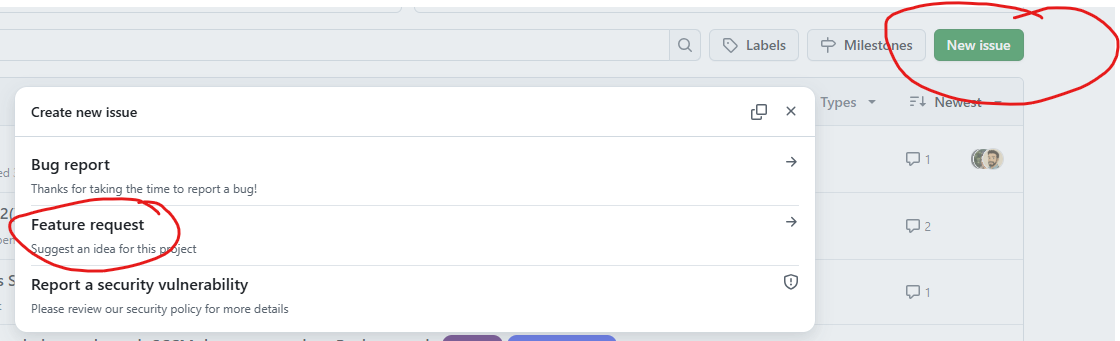
If you think it’s worth improving the tool with this features I think it’s best to create a feature request on GitHub. Otherwise this will get lost in the forum.