Proposal: Decouple UI Layout from Folder Structure
Preface - I’m a BIM manager at a ~25-30 person firm and have also been developing my on pyRevit tools for a bit now, but haven’t been very active in the community (hoping to change that). One of the most common bits of feedback that I get from folks when I show them pyRevit is “wow, this is a lot”. For power users, the 50+ tools in pyRevit Core may be useful, but for most users - especially at first - it’s overwhelming. Even for power users, there may be tools that they will simply never need which are taking up space on the UI.
Creating custom UI layouts in pyRevit today requires forking the repo and modifying folder structures and bundle files nested 4-5 levels deep. It would be great to be able to abstract the two like many modern web development tools and have a folder of Tools and a separate layout system that organizes them.
I’m willing to try my hand building this and submitting a PR to get things started, but wanted to post here first to get some feedback on the idea. Please let me know what you all think.
Goals
-
Reduce folder structure complexity
-
Eliminate the direct connection between folder hierarchy and UI layout
-
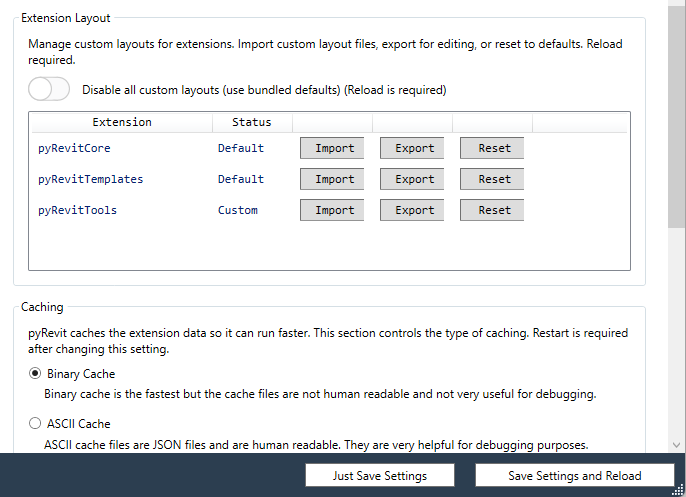
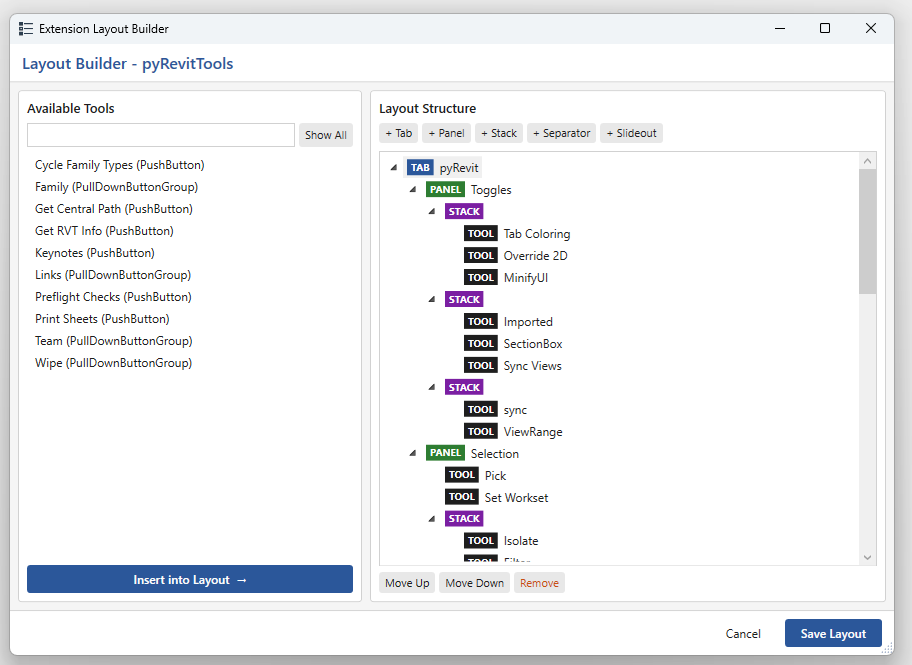
Allow admins (and optionally users) to customize layouts without forking
-
Enable hiding tools and potentially combining tools from multiple repos
-
Maintain full backward compatibility with existing extensions
Current Structure
Extensions require a 4-level folder hierarchy (5! for stacks and button groups) that both stores tools and defines UI:
MyExtension.extension/
  MyTab.tab/
    MyPanel.panel/
      MyButton.pushbutton/
        bundle.yaml
        script.py
The folder name suffix determines the UI element type, and folder nesting determines the UI hierarchy.
Proposed Structure
Decouple layout from tools by introducing layout YAML files at the extension root and a flat tools/ directory.
MyExtension.extension/
  extension_layout.yaml       # declares tab/panel structure, references panel files
  MyPanel.panel.yaml          # panel-level tool layout (at extension root)
  OtherPanel.panel.yaml
  tools/                      # flat tool storage, subfolders for organization only
    MyButton.pushbutton/
      bundle.yaml
      script.py
    Utilities/                # plain subfolder for grouping (no postfix = ignored)
      AnotherTool.pushbutton/
        bundle.yaml
        script.py
Extension Layout File (extension_layout.yaml)
Declares the full tab and panel structure. Panel layouts can be inlined or split into separate files for large extensions.
extension:
  name: "My Extension"
  tabs:
    - name: "My Tab"
      panels:
        - name: "My Panel"
          layout_file: "MyPanel.panel.yaml"
        - name: "Small Panel"
          layout:                         # inline for simple panels
            - MyButton
            - AnotherTool
Panel Layout File (MyPanel.panel.yaml)
layout:
  - MyButton
  - AnotherTool
  - Spy                 # references Spy.pulldown (self-contained with children)
  - ">>>>>"             # existing slideout separator still supported
  - UtilityTool
Tool Bundle (bundle.yaml)
One new optional field — name — used for layout reference. All other fields unchanged.
name: "MyButton"          # optional: used for layout lookup; derived from folder name if absent
title: "My Button"
tooltip: "Does something useful"
context: zero-doc
author: "Author Name"
If name is absent, it is derived from the folder name by stripping the postfix (e.g. My Button.pushbutton → "My Button").
Eliminated as Structural Folders (moved to YAML)
| Postfix | Replacement |
|---|---|
.tab |
Declared in extension_layout.yaml |
.panel |
Declared in extension_layout.yaml or .panel.yaml file |
.stack |
Expressed as a grouping directive within a panel layout |
Tool Discovery
When extension_layout.yaml is present, pyRevit uses layout-based discovery:
-
Crawl
tools/recursively -
Skip plain subfolders (no recognized postfix) — these are organizational only
-
On finding a container tool (
.pulldown,.splitbutton,.splitpushbutton):-
Index it by
namefield or derived folder name -
Crawl its children; those children belong to the container, not the flat index
-
-
On finding a leaf tool — index it and stop recursing
-
Build a name → component map used to resolve layout references
Tools in tools/ that are not referenced by any layout file are silently ignored (or optionally logged as a warning).
Backward Compatibility
When extension_layout.yaml is absent, pyRevit falls back to the existing folder-hierarchy discovery mode unchanged. Existing extensions require no modification.
This allows incremental adoption: a single extension can migrate tool-by-tool, moving tools from .tab subfolders into tools/ as desired, while keeping extension_layout.yaml as the authoritative layout declaration.
Required Changes to pyrevitlib
pyrevitlib/pyrevit/extensions/genericcomps.py
-
Add
namefield parsing in_read_bundle_metadata() -
Add folder-name derivation fallback when
nameis absent
pyrevitlib/pyrevit/extensions/parser.py
-
Add
parse_tools_dir(): recursive crawler fortools/, builds name → component index -
Add
parse_layout_file(): readsextension_layout.yamland.panel.yamlfiles -
Modify
_parse_for_components()to dispatch to new layout-based path when layout file is detected
pyrevitlib/pyrevit/extensions/components.py
-
Update
Extension._update_from_directory()to detectextension_layout.yamland store layout config -
Update
Extension._calculate_extension_dir_hash()to includetools/and layout files
pyrevitlib/pyrevit/extensions/extensionmgr.py
- No structural changes required; the parser changes are transparent to this layer
pyrevitlib/pyrevit/loader/uimaker.py
- No changes required; UI creation walks the same component tree regardless of how it was built