I am new to Revit and to pyRevit.
As I am working in my current project in Revit 2026. I have been adding new sheets and inserting sheets from other projects to get the schedules and details.
I needed to move some detail views from a sheet I imported to another sheet in my project.
I selected my views and went to the Sheets tab, Move Viewports (Model, Detail) To Other Sheets.
When the sheets list came up; only some sheets show up. You can see it in the attached screenshot on the left is the sheets in my project and on the right is pyRevits sheet list to choose from.
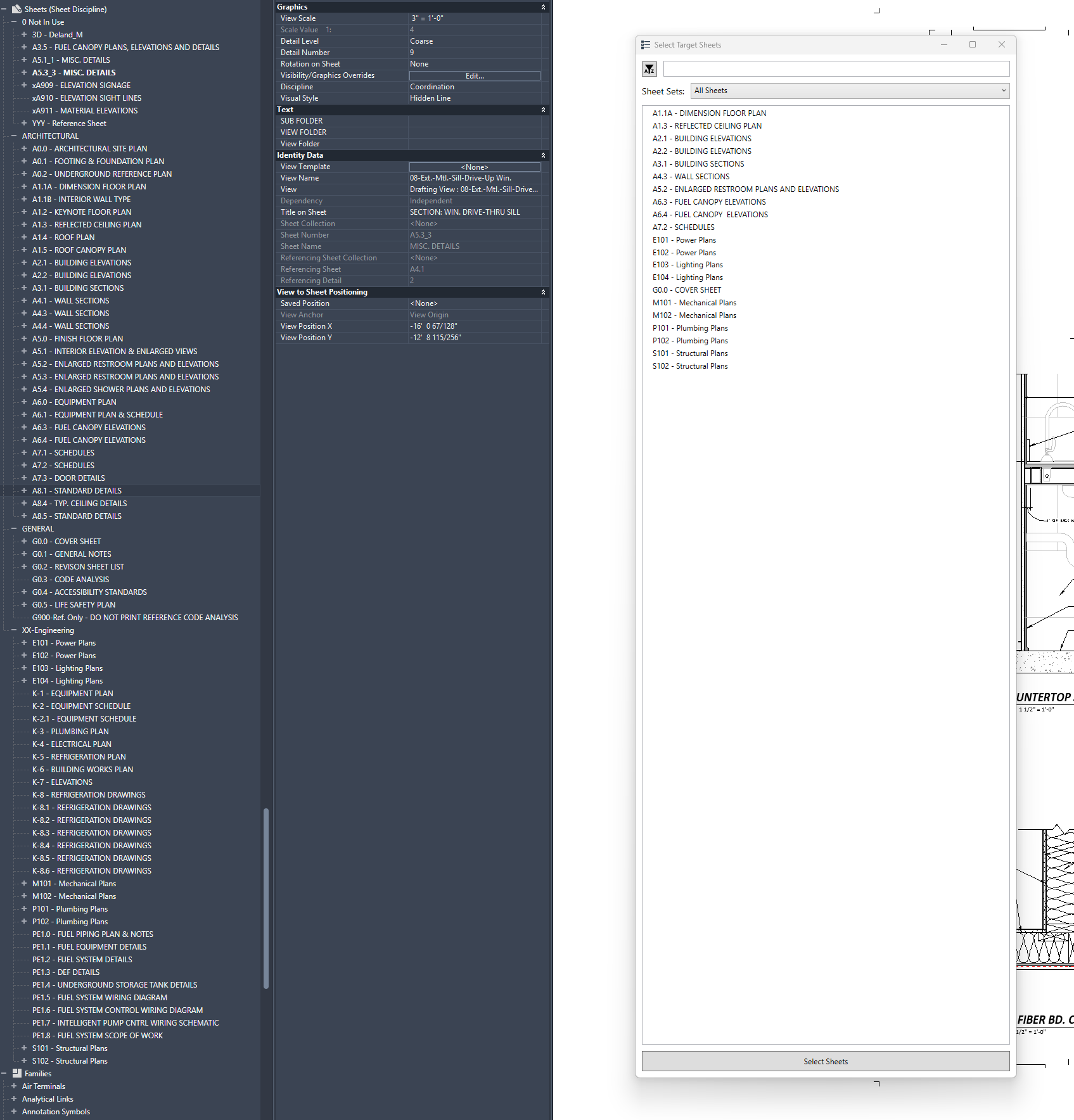
I am unfamiliar with pyRevit. Do I need to add the sheets in the project to a pyRevit sheet list?
If so, how do I do that?
I even looked at the sheets properties that show up in the pyRevit sheets list and compared them to the ones that don’t show up. I could not see any differences. All the same boxes are checked, all the same disciplines and parameters. The correct sheets are scheduling on my cover page in the sheet index list. I must be missing something simple.
Any help would be greatly appreciated.
Thank you for your time and patience.