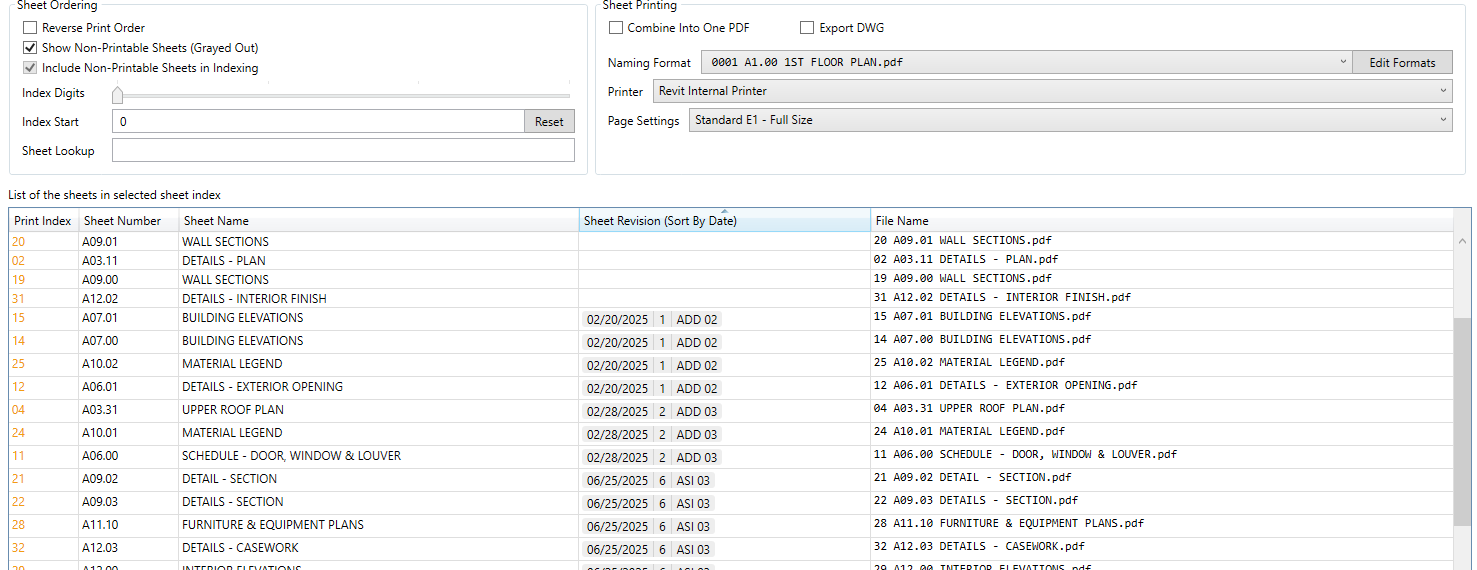
Using the latest version (5.3.1.25308) if I sort by Sheet Revision it isn’t working. The heading has changed to “Sheet Revision (by date)” but it doesn’t seem to sorting by anything I recognized. I reverted back to version 5.1.0.25099 and it works as expected.
I wasnt able to find ANY print sheets, it is like they arent even there.
Maybe the way its named in code/eng&programming verison is diffrent to my local language name
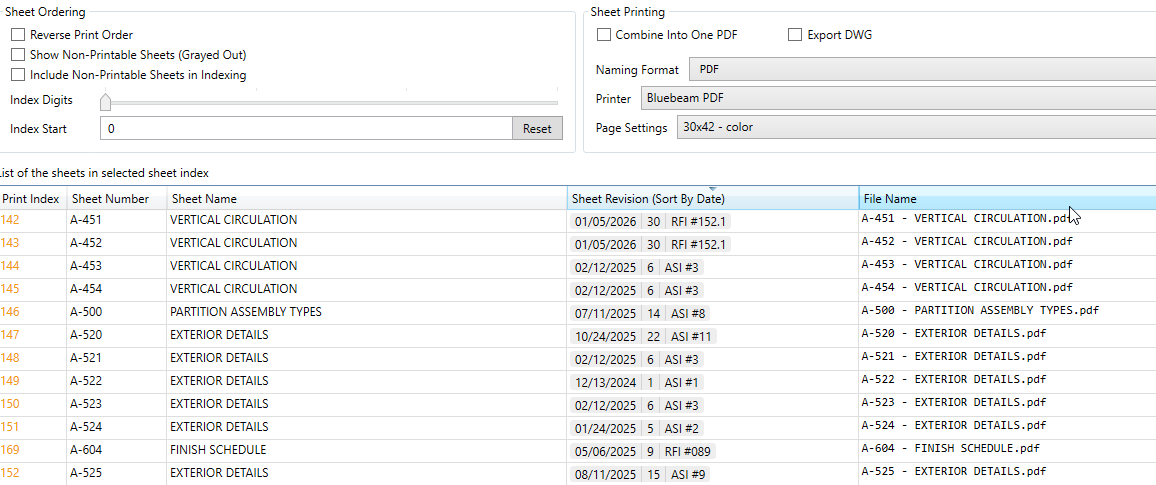
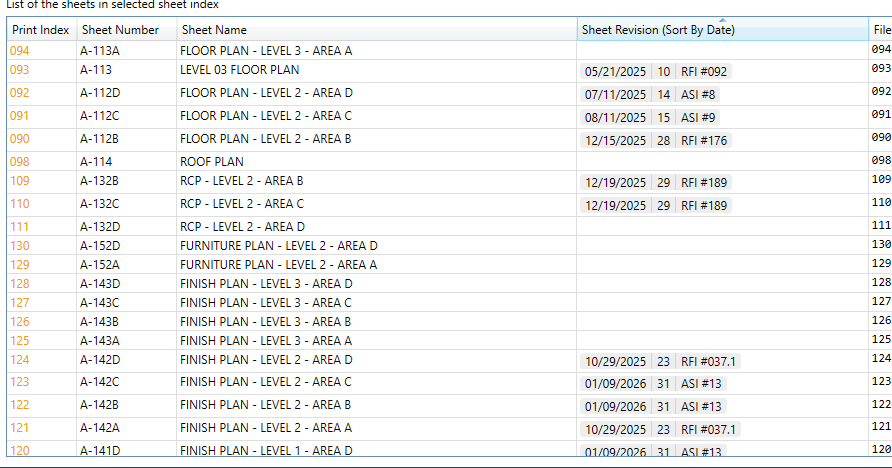
Dates are outputted as strings in Revit api, so most probably a sorting is happening on the string instead of a date object. Therefore the error.
Was able to get it to work - I had reinstalled version 5.1.0.25099 which does sort revisions correctly but this time I did not uninstall that version and then installed the latest version 6.0.0 and the column now says just Sheet Revision instead of Sheet Revision (Sort By Date). Don’t know what that means moving forward…
We’ve been experiencing the same issue since updating to 5.3.1.25308, and now 6.0.0.26032. I ran the Print Sheet scripts through Claude AI to identify any issues that might prevent it from sorting as intended. The suggestions it made resolved the issue for us in one scenario, but haven’t been thoroughly tested. I am not a scripting wizard, so hopefully this helps find a true fix. The changes to the script.py are as follows:
Add this block at line 215:
    # Set sortable date for DataGrid sorting
    if self.revision.is_set and self.revision.date:
        try:
            # Try to parse and convert to sortable format (YYYYMMDD)
            # Adjust date format string based on your Revit locale settings
            date_obj = datetime.datetime.strptime(self.revision.date, '%m/%d/%Y')
            self.revision_date_sortable = date_obj.strftime('%Y%m%d')
        except Exception as ex:
            # If parsing fails, try alternative formats or use the original date string
            logger.debug('Failed to parse date "{}": {}'.format(self.revision.date, ex))
            # Try alternative date format (DD/MM/YYYY)
            try:
                date_obj = datetime.datetime.strptime(self.revision.date, '%d/%m/%Y')
                self.revision_date_sortable = date_obj.strftime('%Y%m%d')
            except:
                # Last resort: use original string
                self.revision_date_sortable = self.revision.date
    else:
        self.revision_date_sortable = ""
Then update these lines (around the 1320 mark):
    # Try several common patterns
    date_formats = ["%d.%m.%y", "%m.%d.%y", "%d/%m/%y", "%m/%d/%y"]
    if not dayfirst:
        date_formats = ["%m.%d.%y", "%m/%d/%y", "%d.%m.%y", "%d/%m/%y"]
to this:
    # Try several common patterns (4-digit year first, then 2-digit)
    date_formats = ["%d.%m.%Y", "%m.%d.%Y", "%d/%m/%Y", "%m/%d/%Y",
                   "%d.%m.%y", "%m.%d.%y", "%d/%m/%y", "%m/%d/%y"]
    if not dayfirst:
        date_formats = ["%m.%d.%Y", "%m/%d/%Y", "%d.%m.%Y", "%d/%m/%Y",
                       "%m.%d.%y", "%m/%d/%y", "%d.%m.%y", "%d/%m/%y"]