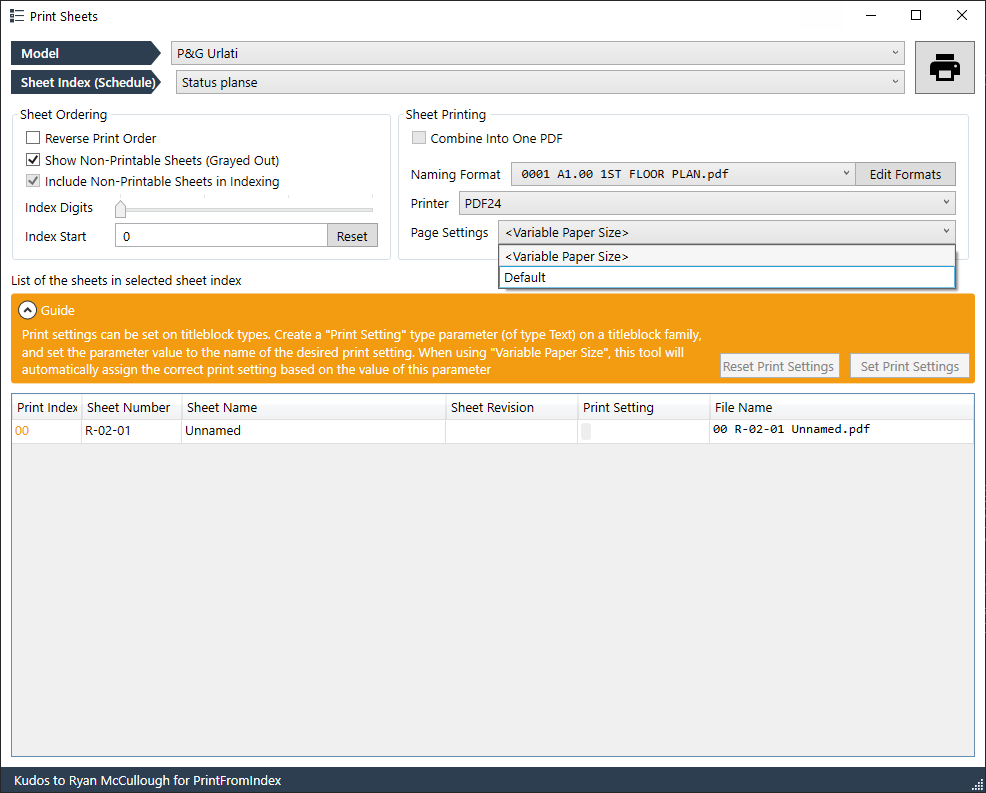
I try to use Print Sheets tool but for some reason I don’t have a list of sheets sizes (A3, A2, A1 etc) on page settings list. I also tried to use Variable Paper Size and follow the guide with Print Setting but with no luck. Can someone guide me a bit and tell me what i should do to make it work?
My Revit is in English, I have the last version of pyrevit 5 (5.2.0.25181+1332). Also I have tried all the printer I have installed, virtual or physical and no one have any sheet size. What I have found is that I have to add all the format I want to use via print setup.