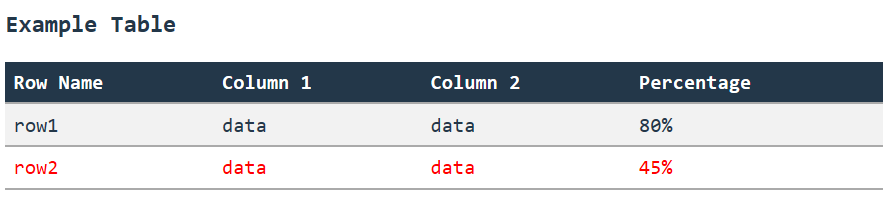
Have any of you experienced the same no output when printing with output.print_table. I have tried also the example from the pyrevit documentation and the output window is empty or sometimes not even appearing. I have tried in Revit 2025 and 2026. The pyrevit version is 6.5.3.
I have noticed that if the script is running with CPython, the .print_table() has no output. Only after removing the #! python3 line the script works. Do you know why it is behaving like this? Is there something I am missing? I would like the script to run on CPython.
80% or more of the pyrevit libs aren’t compatible with cpython.
A lot of the incompatibility is related/UI.
We aren’t even close to cpython full compatibility.
+
The webbrowser .net module we use for the output window would need to be moved to a more modern component such as WebView. And this, before moving to cpython entirely (if ever)
Hi Jean, is there a plan to integrate the PythonNET (Autodesk-modified version) in later versions of pyRevit? I read a discussion about it a while back (don’t remember if it was this forum or GitHub discussion ).
 ).
).