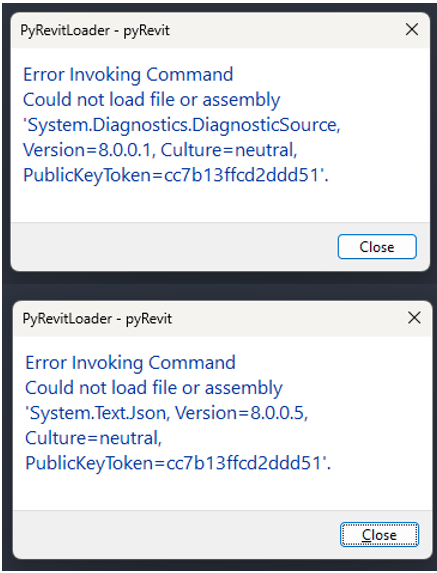
I have multiple C# projects and SDKs that are built targeting the .NET 4.8 Framework. When we build our projects, we then copy all the contents of each project’s Bin/Debug folder to our pyRevit extension’s .extension/bin folder to ensure that any specific DLLs one project might need are included.
The issue we have now is that some of these .NET Framework DLLs are incompatible with .NET Core Revit and we’d need to provide both the .NET Framework and .NET 8 / .NET Core DLLs.
So far we noticed that the DLLs creating the problems are System.Diagnostics.DiagnosticSource and System.Text.Json.
My question is: Is it possible to modify the startup.cs and organize the bin folder to have a multi-targeting bin folder structure? i.e., inside of the bin folder you would also have /net472 and /net8.0. Or is there any other way to do so?
We would really prefer to only have to maintain one PyRevit extension and just have the startup.cs, or any other built-in mechanism, handle the targeting.
Thanks a lot for your reply @pyrevti and sorry for my late reply!
The problem with .net standard 2.0 is that you can only use it with the libraries that support .net standard, which means that they cannot use any windows-specific things (e.g. WPF or Windows Forms).
For example, the first issue that we ran into, was authenticating into a database through the Microsoft.Identity.Client library, which has a dependency on Windows Forms.
I also suspect that Revit-dependent libraries will have the same issue.
Have you had any success using .net standard?
As for your code extract at the top of your code, our tools are mostly based on C#, so your code wouldn’t work for us.