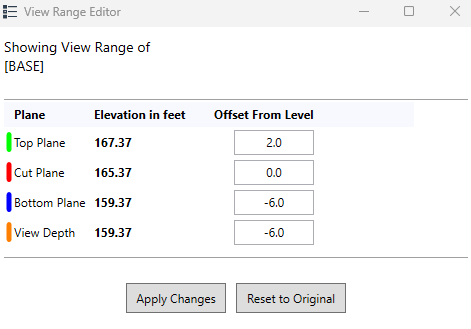
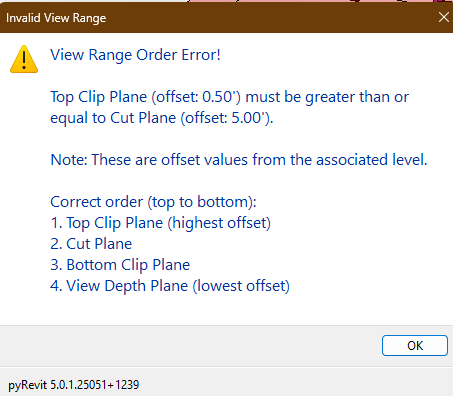
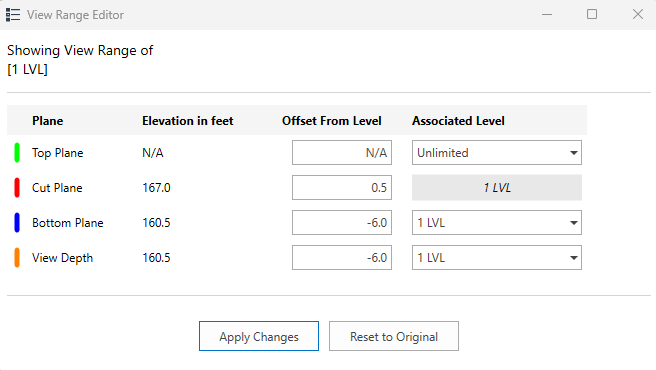
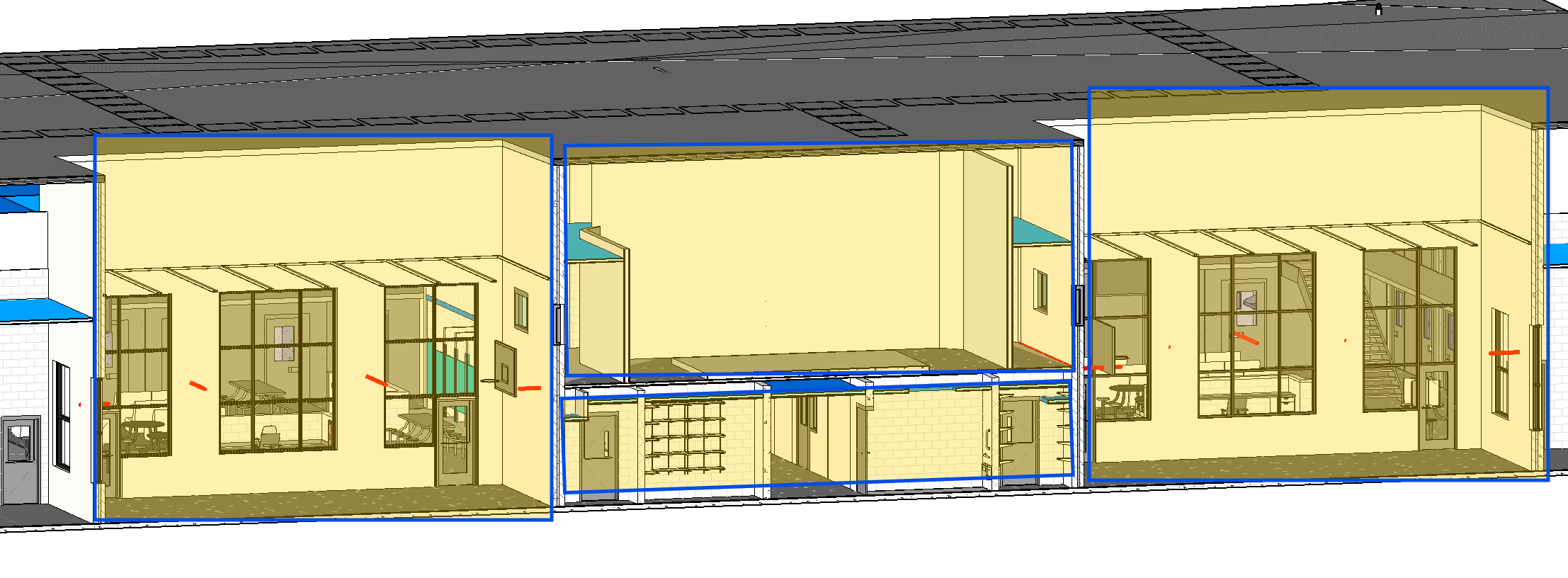
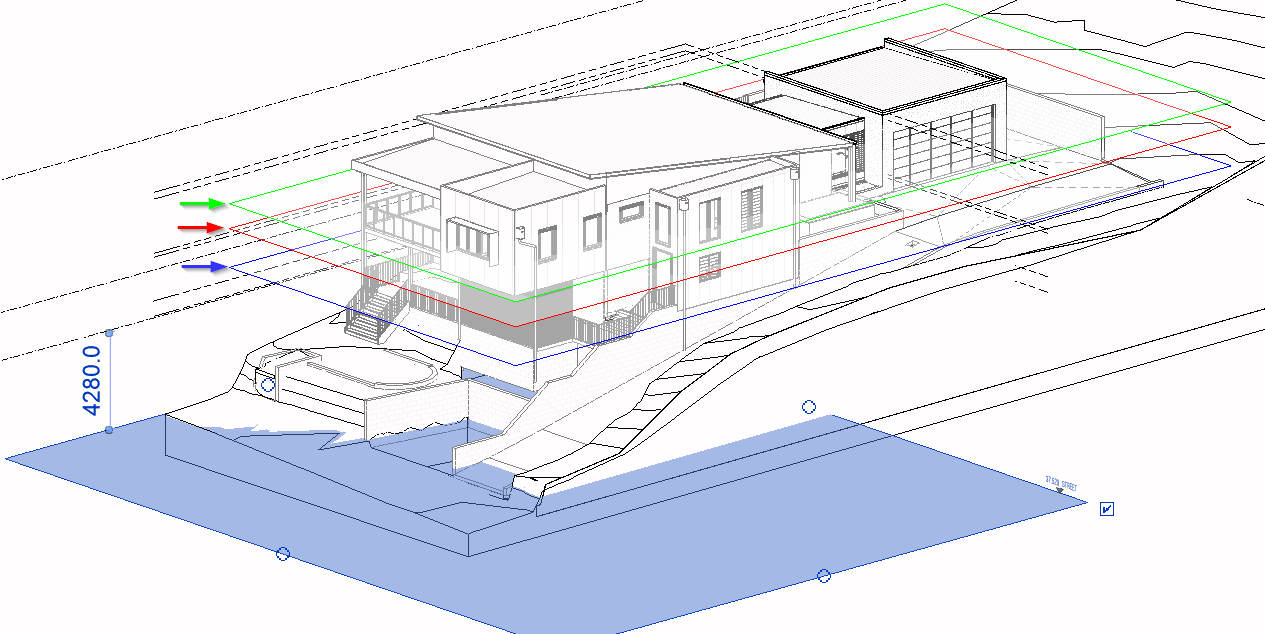
I’ve worked on improvements to the existing ViewRange tool and I’m curious if these improvements might be worthy of consideration for integration into the main pyRevit toolbar?
Key Improvements:
Interactive editing - Users can now modify view range values directly and don’t have to switch back to a plan view to make changes
Error handling - Popup alerts for invalid order/format with clear error messages
Think of a plan region like a crop box with its own view range properties, or like a plan within a plan. The overall plan has its own crop/scope box and it has its view range. Then if you had something in the middle of that plan that is lower or higher, you place a plan region with its own view range to be able to see more or less.
Typically, these are used when you have offset levels like a “sub-level/tiered/mezzanine” level (L1 to L2 is at 0ft to 30ft and Tier 2 is 20 ft to 30 ft. In a case where a “sub - tier” level is encompassed in other levels ) or sloped floors/roofs.
I was using the Show View Range tool and helped with the overall normal way of having view ranges from plan. When I added a view range, i was struggling to set the view range properties correctly to cut some stuff out. This is where I think adding Plan Regions can also help.
I’ve thought about handling plan regions when I made the tool, but decided not to include them in the first version, because the ROI wasn’t high enough for me. It is not impossible, though, but making holes in the planes would make generating the geometry (the faces and edges) a bit more complicated (currently it is only 4 vertices, 4 edges, and 2 triangles per plane), and I wasn’t convinced that showing too many plane combinations simultaneously would be easy enough to understand. If anyone still wants to do it, go ahead, but I won’t have time for it.
Love it! Great tool as view range can be such a pain! I have 2 comments/suggestions:
Can the coloured planes be made visible in Hidden Line and Wireframe styles? They only appear as a coloured line with a very faint opaque white plane that is too difficult to see in these graphic styles.
The ability to edit the offset and associated level in the View Range Editor is cool but comes with a few risks that I can see:- a) it bypasses View Templates which could be useful but also risky, and b) you can change a plane to a specific level, but the default view range dialogue box will always show “level above/level below/etc” I can share some screen shots if this doesn’t make sense
I’m a bit late to this but thumDer has been working on fixing note 2 so that the Editor will work with view templates. This is in Pull Request #3192 and #3155 that came from issue #3110