This is a general question about keynotes and figured it would be a good place to ask.
I have old model where there is a keynote txt file loaded in based on the regular keynote settings dialog but the txt file is no where to be found. How would one go about extracting/downloading it from the Revit model?
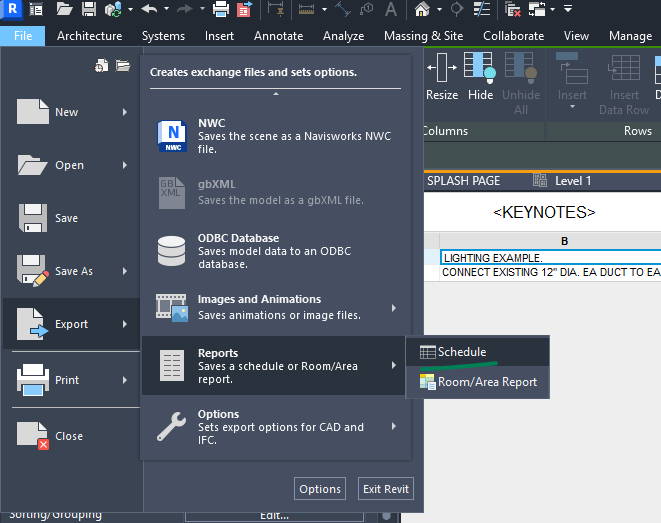
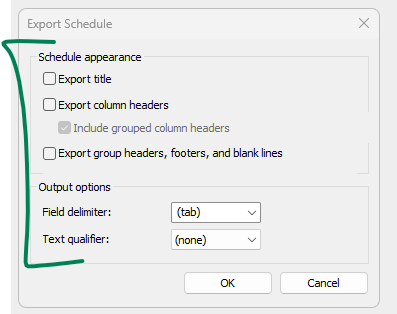
Export the schedule to csv. You’ll have to redo any category sorting you had, but it’ll get the main keynote out of the model. Note, this will only export 'in-use’ keynotes, any keynotes you had that were not in use in the model (had no instances) will not be preserved.

The data does exist on the elements as well. You could extract everything from the elements and reconstruct the keynote file based on some rules. It could be a handy script to have.
However for a one-off - the csv file could be faster, even if more manual.
Thanks for the advice. I’ll look into a script. I’d hate to redo the organization.