 Filter Legend — a real legend for your view filters (live now, smart updates incoming)
This tool has quietly been out for a while and was never actually announced here.
Fixing that now, and bundling in a second announcement while I’m at it, because
there’s a meaningful upgrade landing for it too.
The problem
You’ve built up a nice set of view filters — by discipline, by phase,
by whatever override scheme keeps your views readable. Six months
later a coordinator opens the view and has no idea what the green
hatch means, because the filter names are buried three dialogs deep in
Visibility/Graphics → Filters and nobody puts that on a sheet.
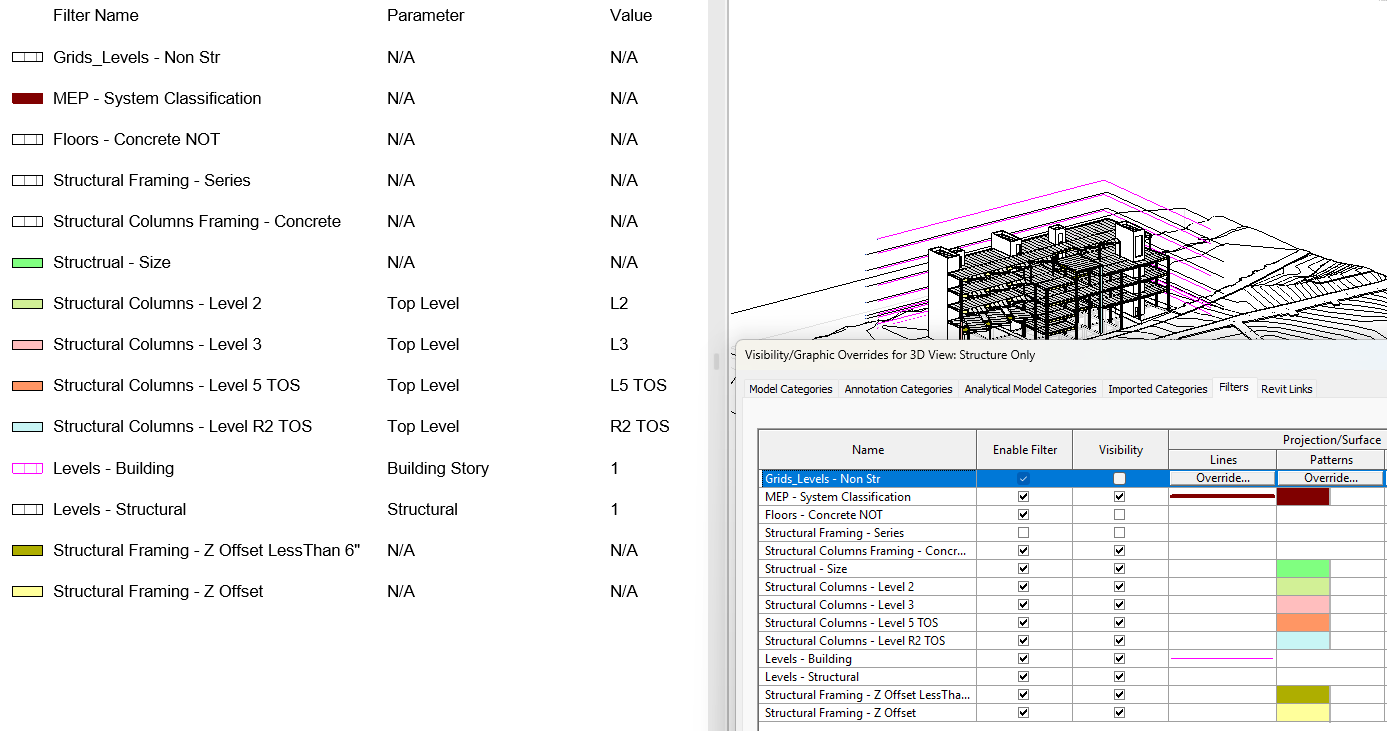
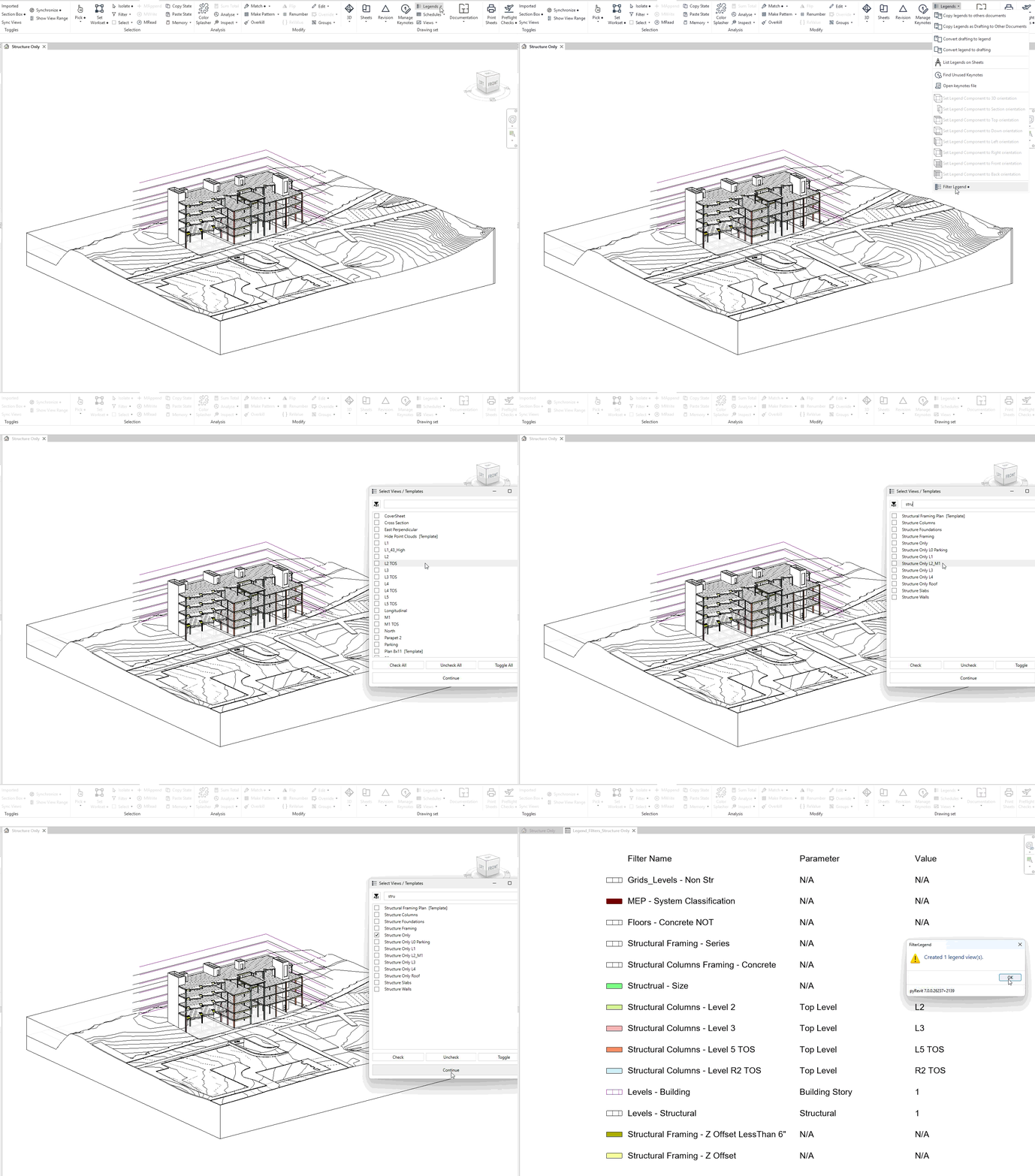
Filter Legend turns your view’s (or view template’s) applied
filters into an actual annotated Legend view you can drop on a sheet:
[■ swatch]   Filter Name          Parameter        Value
[■ swatch]   Structural Steel     Category         Structural Framing
[■ swatch]   Phase 2 - Existing   Phase             Existing
[■ swatch]   Fire Rated Walls     N/A               N/A
(compound / multi-rule filters still show up with their name and
swatch — they just show N/A for parameter/value, since there isn’t
one single rule to summarize)
What it does
-
Batch-friendly — select one view, or twenty views and templates
at once; a legend gets generated for each. -
Auto-fitting layout — column widths adjust to whatever your
actual filter names/values render at, for whatever Text Note Type
and font size your project uses. No manually dragging columns after
the fact. -
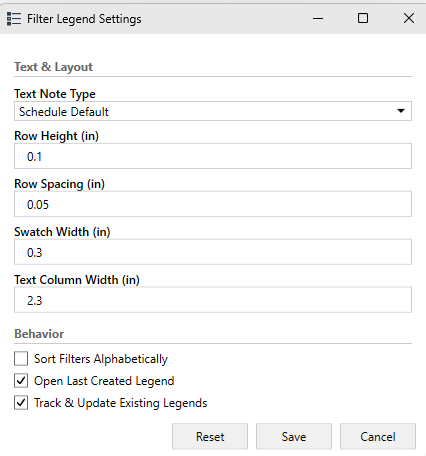
Configurable — text note type, row height/spacing, swatch and
column width, alphabetical sort, whether the newest legend
auto-opens — all from the button’s Configure action, all
persisted per-project.
-
Fully localized — UI is available in 8 languages (EN, DE, ES,
FR, PT-BR, RU, KO, ZH).
Live now on pyRevit 6.5.4+. Grab it here:
 Now the part I actually meant to write a separate post for
The original release had one rough edge: run the tool again after
tweaking a filter, and you got a brand new legend view every time
— duplicates piling up, and if you’d manually added a title block note
or an extra swatch to a legend by hand, that had no bearing on the
next run at all since it was a fresh view regardless.
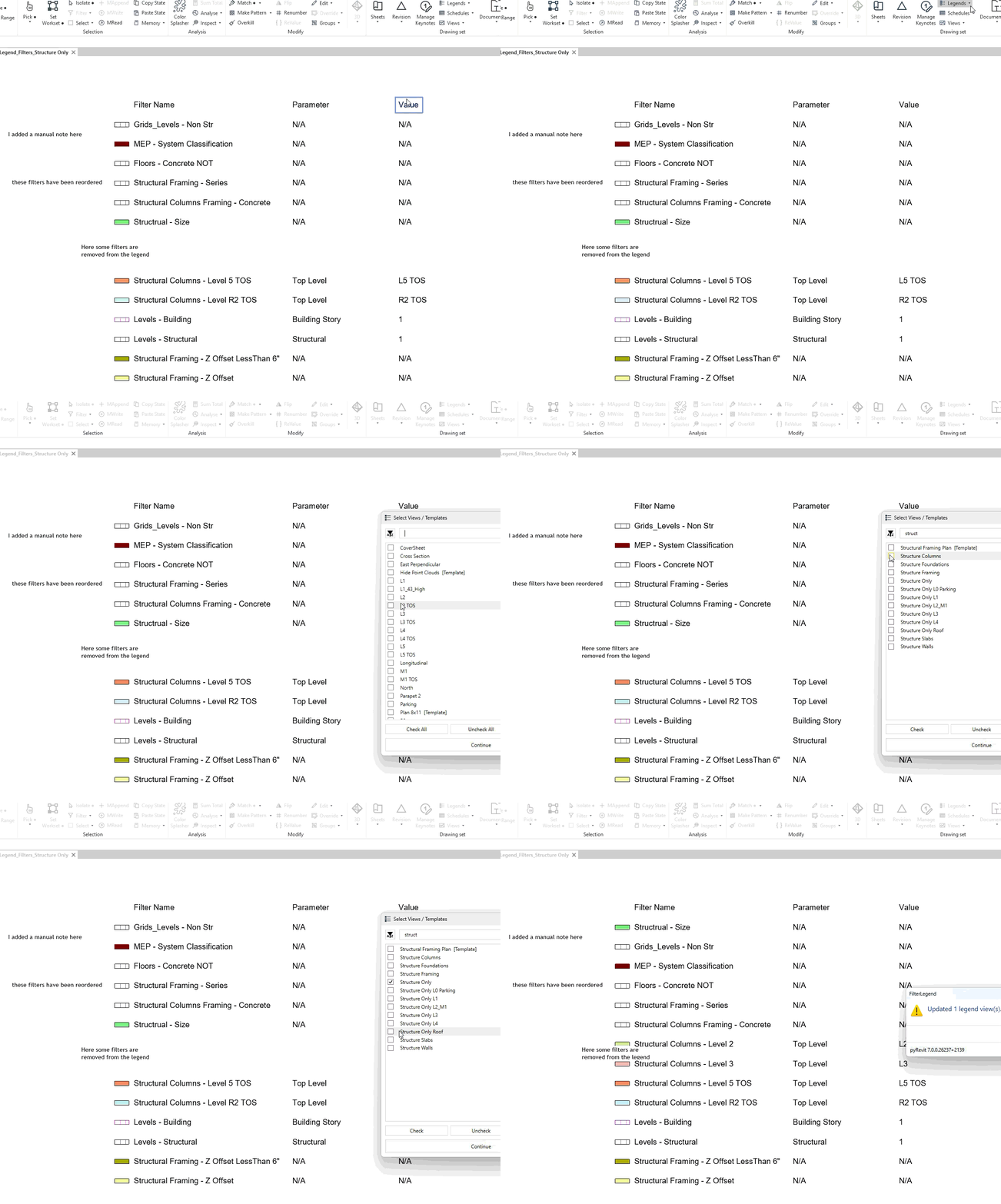
Filter Legend now tracks its own output and updates legends in
place instead of duplicating them:
- Run it again on a view you’ve already generated a legend for, and
it finds that same legend and refreshes its rows to match your
current filters — same view, same name, same place on your sheets. - It only touches the rows it generated. Anything you added to that
legend by hand — extra notes, an extra swatch, a title — is left
completely alone. - It’s a toggle (Track & Update Existing Legends, off by default)
in the same Configure dialog as everything else, so you can turn it
off and get the old “always create fresh” behavior if you’d rather.
This part is currently only on the 7.x WIP builds — not yet in a
stable pyRevit release, so grab a WIP build if you want to try it
early:
For the nerds ( that’s probably you if you’re reading this far)
The tracking is done via Revit’s Extensible Storage API — no external
files, no sidecar data, it travels with the model. While building it I
ended up writing a small generic wrapper around Extensible Storage
(declare a schema as a plain class, then get_data()/set_data() off
any element like a dict) since the raw SchemaBuilder/Entity/
Get<T>/Set<T> API is more boilerplate than any one tool should have
to carry around. Looking at proposing that as a pyrevit.coreutils
addition for anyone else who needs to persist tool-specific data on
elements — more on that if/when there’s something concrete to look at.
Feedback and bug reports all welcome via the official github repo. 
