Can't install EF-Tools extension from installed pyRevit v5.2.0.25181 in my PC

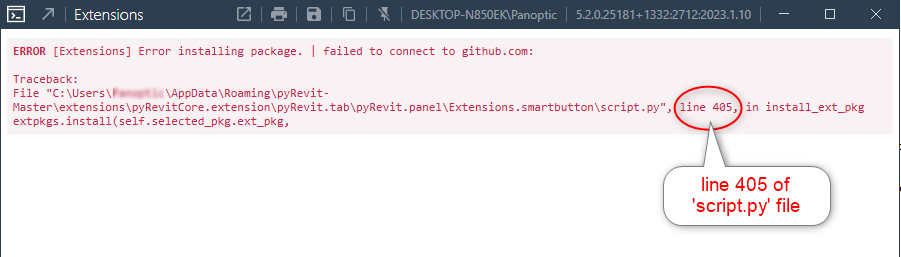
I have been trying to install EF-Tools extension via pyRevit v5.2.0.25181 that I have installed on Revit…and it came up with the following error:

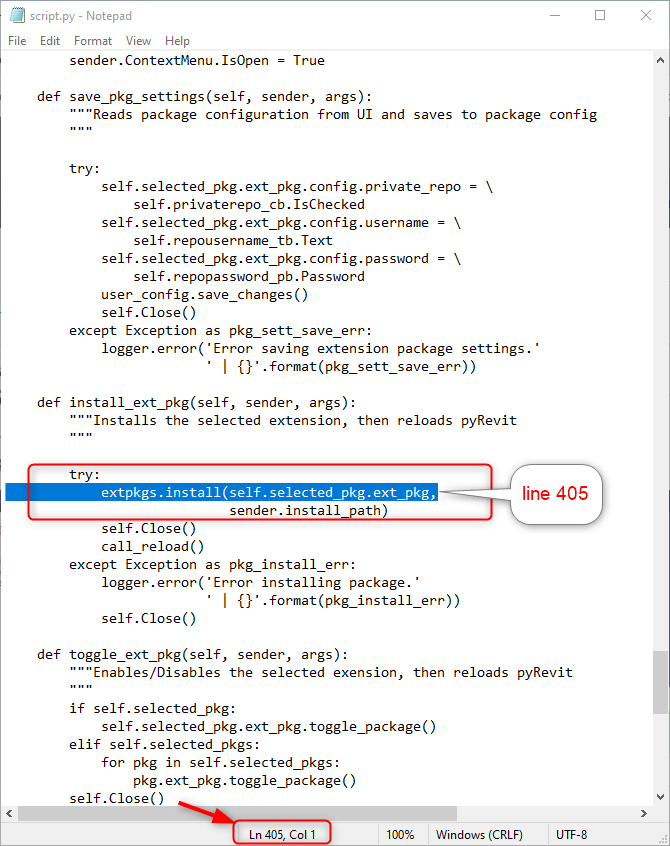
Line 405 syntax does not seem to be working for the installation. What could seem to be the problem that is preventing Github to readout this line in order to establish a connection?

How should this line of code be rewritten to overcome the connection issue?

Can you paste here the result of the command line: pyrevit env

And also pyrevit extensions

C:\Users\Panoptic>pyrevit env
==> Registered Clones (full git repos)
==> Registered Clones (deployed from archive/image)
master | Branch: “master” | Version: “5.2.0.25181+1332” | Path: “C:\Users\Panoptic\AppData\Roaming\pyRevit-Master”
==> Attachments
master | Product: “2025 First Customer Ship” | Engine: DEFAULT (2712) | Path: “C:\Users\Panoptic\AppData\Roaming\pyRevit-Master” | AllUsers
master | Product: “2023.1.1” | Engine: DEFAULT (2712) | Path: “C:\Users\Panoptic\AppData\Roaming\pyRevit-Master” | AllUsers
==> Installed Extensions
==> Default Extension Search Path
C:\Users\Panoptic\AppData\Roaming\pyRevit\Extensions
==> Extension Search Paths
==> Extension Sources - Default
https://github.com/pyrevitlabs/pyRevit/raw/master/extensions/extensions.json
==> Extension Sources - Additional
==> Installed Revits
2025 First Customer Ship | Version: 25.0.2.419 | Build: 20240307_1300(x64) | Language: 1033 | Path: "C:\Program Files\Autodesk\Revit 2025"
2023.1.1 | Version: 23.1.10.4 | Build: 20221122_1550(x64) | Language: 1033 | Path: "Revit 2023"
==> Running Revit Instances
==> User Environment
Microsoft Windows 10 [Version 10.0.19045]
Executing User: DESKTOP-N850EK\Panoptic
Active User: DESKTOP-N850EK\Panoptic
Admin Access: Yes
%APPDATA%: “C:\Users\Panoptic\AppData\Roaming”
Latest Installed .Net Framework: 9.0.2
No .Net Target Packs are installed.
No .Net-Core Target Packs are installed.
pyRevit CLI v5.2.0.25181+1332.ad837f1fc6ac89979e64710991eb6d846b63c109

C:\Users\Panoptic>pyrevit extensions
==> Installed Extensions

Nothing in there telling me it should not work.
In app data folder under pyrevit there is a config file, is there any mention of ef tools in there?
Can you try installing again?
@kntLpyR001

Just tried it on my computer, no issue. I have a slightly newer version of pyRevit but nothing has been done on the code base in the meantime on the git part of pyRevit.

Do you install through the UI: pyrevit>Extensions>EF-Tools selection>Install Extension?

Now i will look for. But i’m going to solve the problem in another way.
Thank you very much

yes I did, that was what came back with error popup (snip attached at the start of this post) ‘Traceback’ to file ‘script.py’ onto line 405 via my PC’s EF_tools’ installed path C:\Users%username%\AppData\Roaming\pyRevit-Master\extensions\pyRevitCore.extension\pyRevit.tab\pyRevit.panel\Extensions.smartbutton\script.py

I even tried ErikFrits’s manual install via his youtube:

ErikFrits quote—"Alternatively, I can offer you a temporary fix that will work:

  1. Go to GitHub page of EF-Tools (GitHub - ErikFrits/EF-Tools: Save your time working in Revit with EF-Tools extension. It's a FREE collection of tools made with pyRevit to help you solve your boring tasks with a Click..)
  2. Click on the green button [Code] and click download as zip
  3. Unzip contents where you want it to be stored
  4. rename the folder to “EF-Tools.extension”
  5. Open Revit in pyRevit open Settings (it’s close to extensions menu)
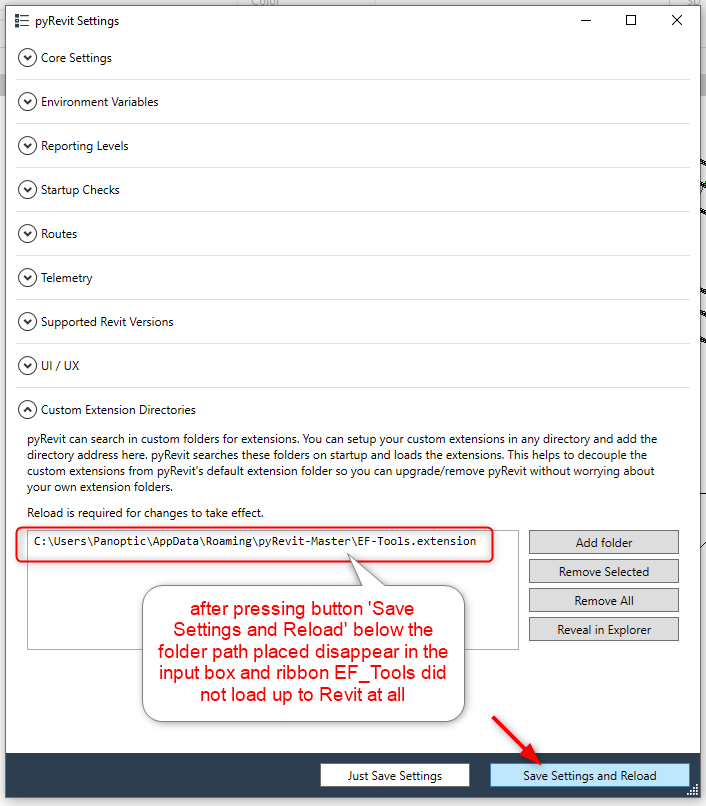
  6. In the last toggle menu ‘Custom Extension Directories’ click on add a folder, and you need to select the folder where EF-Tools extension is located.
    You will need to download the new state of the project whenever you will want to update EF-Tools" —ErikFrits quote ends

I use latest pyRevit 5.2.0.25181 too

You mean in pyRevit’s installed location

C:\Users\Panoptic\AppData\Roaming\pyRevit
C:\Users%username%\AppData\Roaming\pyRevit-Master\

No, nothing EF_tools content I can see in there

I think I need to try uninstall & reinstall all pyRevit & EF_tools altogether and see how it’ll go…

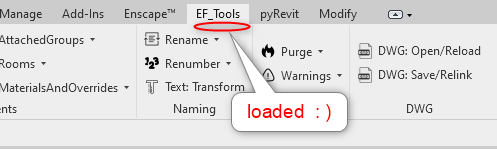
So I got EF_Tools ribbon into Revit doing the following:

Clean Uninstall all pyRevit…reinstall pyRevit

make sure the following file path is created following pyRevit installation:

C:\Users%username%\AppData\Roaming\pyRevit-Master

and also the following will be created I think during install & most importantly when Revit version starts operating files will be created under

C:\Users%username%\AppData\Roaming\pyRevit

My EF_Tools installation via Revit session’s pyRevit-Extensions-pyRevit Extensions Manager dialog STILL stubbornly did not work despite uninstall/reinstall a number of pyRevit versions…so I used ErikFrits’s manual install by placing the Github downloaded EF_Tools data files.
Place those data files into a folder named “EF-Tools.extension” and place it under
C:\Users%username%\AppData\Roaming\pyRevit\extensions\

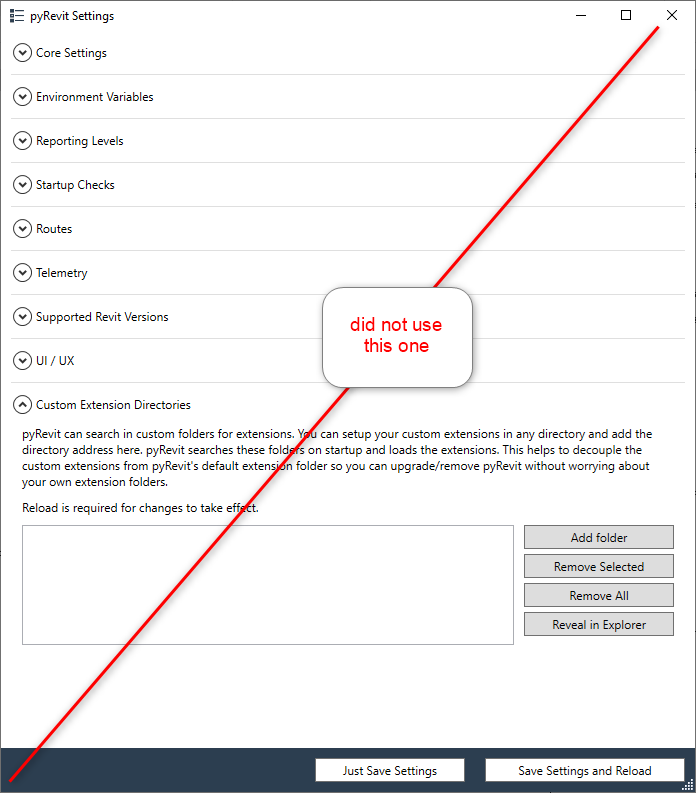
So the above worked for me…and even obviate the need to assign the extension files path using Revit session’s pyRevit-Settings-Custom Extension Directories to associate those data files