Hi all, hoping I’ve picked the correct category. I’ve downloaded CLI 6.5.0 admin signed and was trying to clone through my script. However, while trying to clone, it will say:
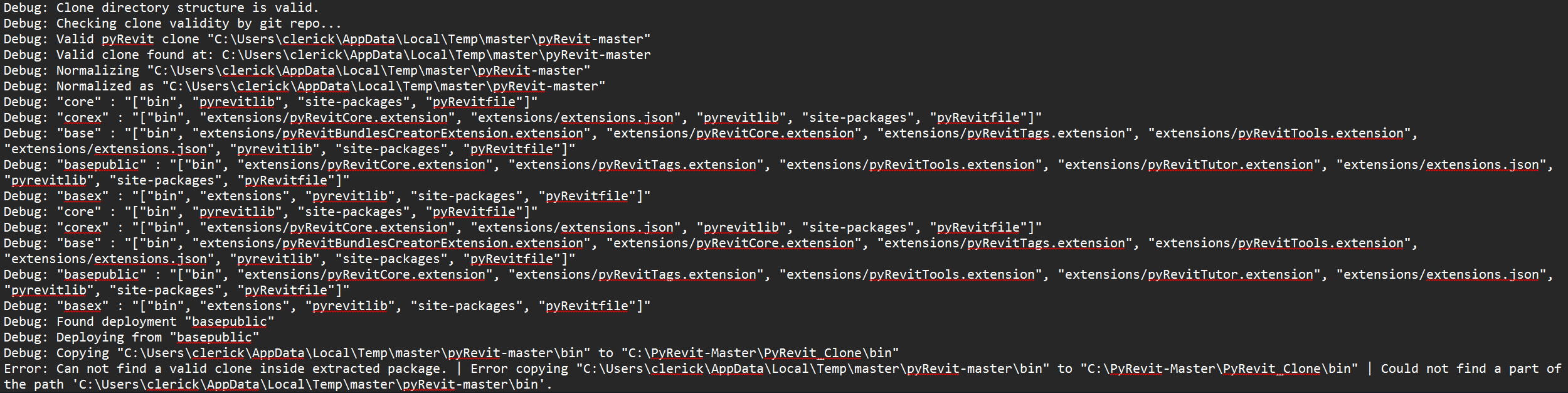
Error: Can not find a valid clone inside extracted package. | Error copying “%localappdata%\Temp\master\pyRevit-master\bin” to “C:\\bin” | Could not find a part of the path ‘%localappdata%\master\pyRevit-master\bin’.
I’ve tried using, basepublic, base, core, and they all give the same error. Unsure if I’m missing a step? Thanks!
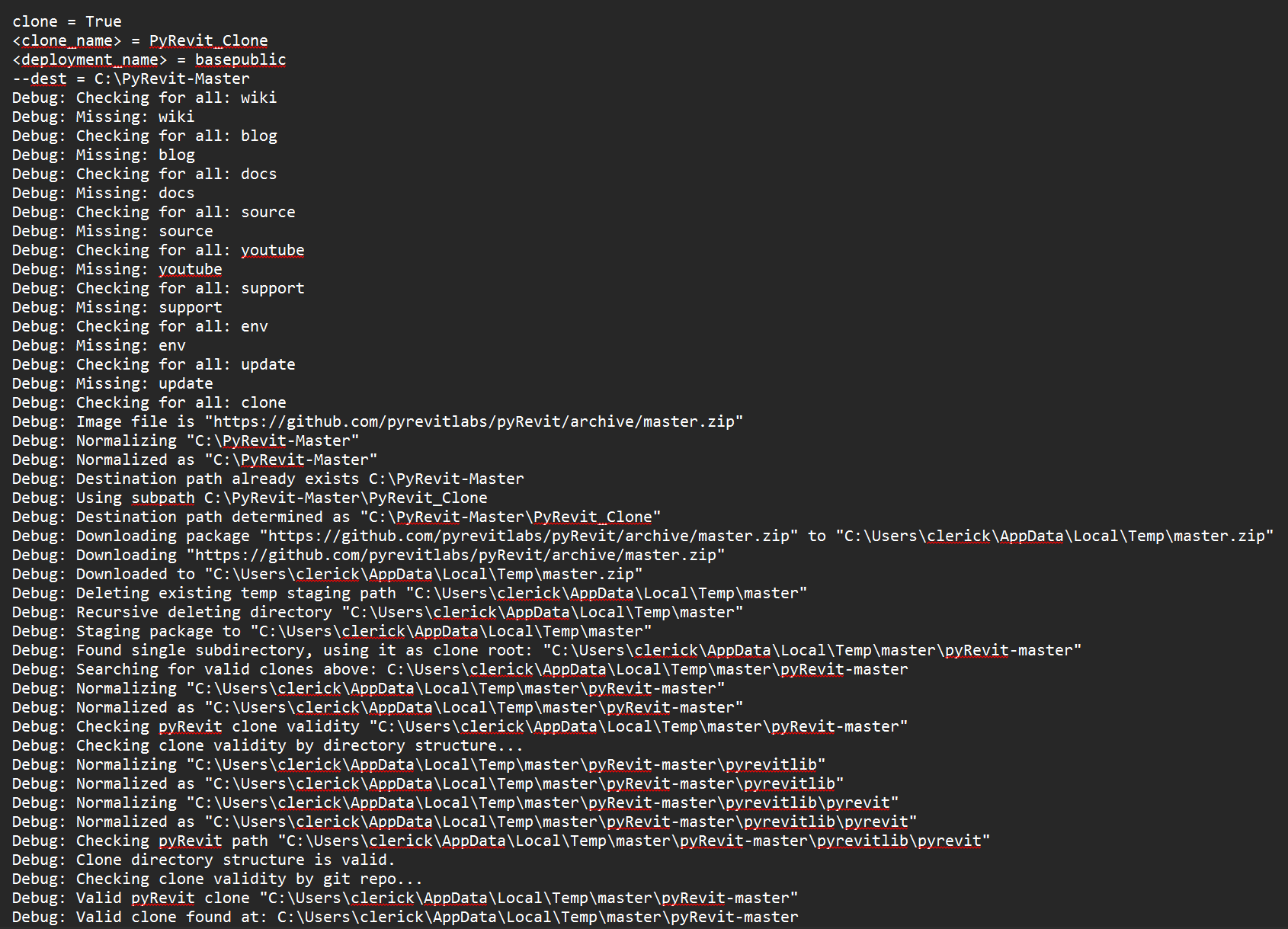
Thanks Jean-Marc! Tried it with the 6.5.2 admin signed.exe, same issue. I’ve ran the clone command again with the –debug switch. Hopefully the output pasted below will be helpful. Wondering I’m supposed to somehow use the CI binaries? Appreciate your time and patience.
*Just realized I can’t copy paste it… I’ll paste a screenshot.
*Just realized I can only embed one media per comment.. I’ll send the second shot in a separate comment (Or try to).