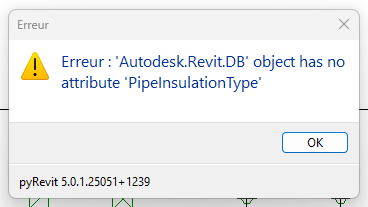
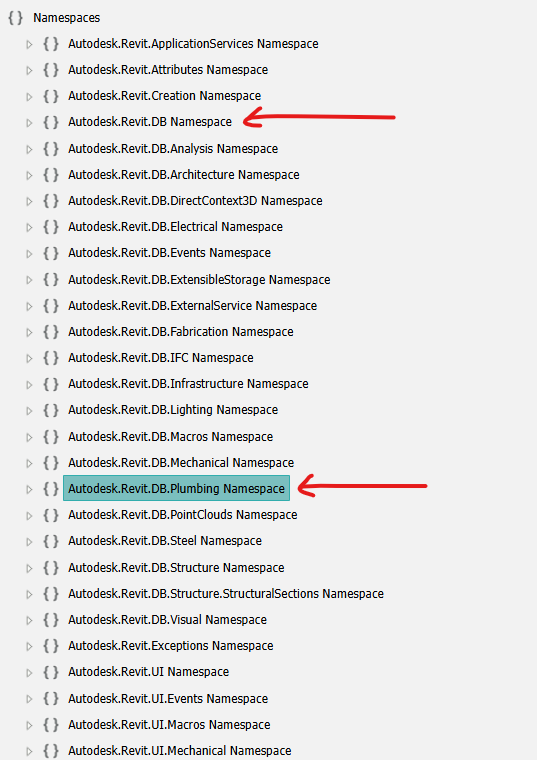
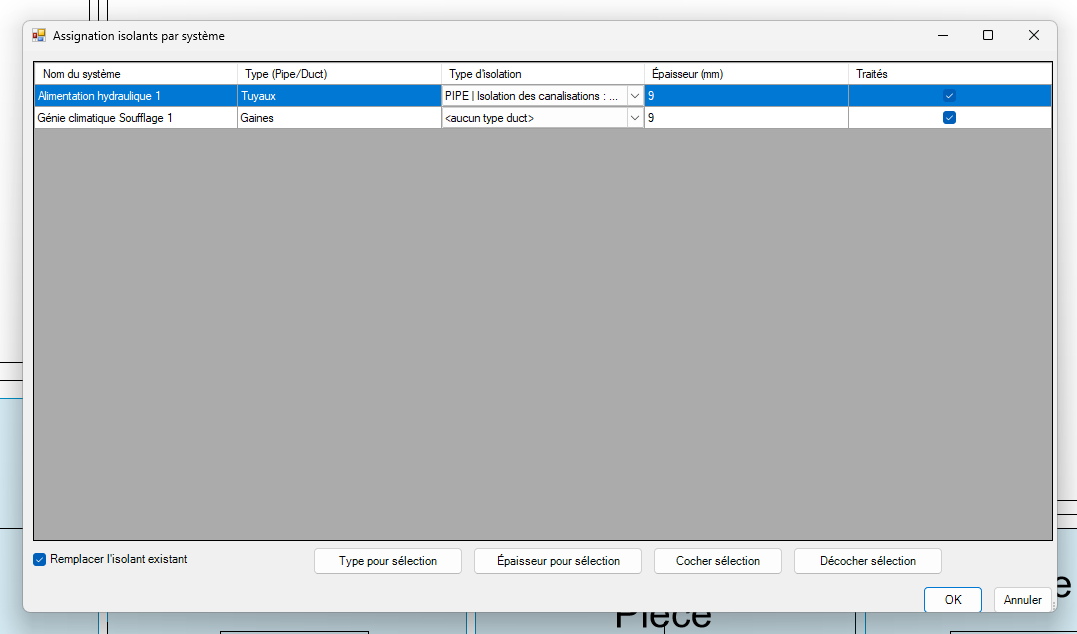
here is something i had a while back ago. it’s a bit “prompty” but that was by design at the time.
takes care of both Duct and Pipe.
I’d be curious to know how you went about yours and see if there’s something you have that I don’t.
# coding: utf-8
__title__ = 'Insulate by System Type + Fittings'
__author__ = 'Rafael Martinez'
__doc__ = 'Select scope, multiple system types, insulation type & thickness, and apply/update insulation on ducts/pipes including fittings/accessories.'

import clr
clr.AddReference('RevitAPI')
clr.AddReference('RevitServices')

from Autodesk.Revit.DB import *
from Autodesk.Revit.DB.Mechanical import Duct, DuctInsulation, DuctInsulationType
from Autodesk.Revit.DB.Plumbing import Pipe, PipeInsulation, PipeInsulationType
from Autodesk.Revit.UI import TaskDialog
from pyrevit import revit, forms

doc = revit.doc
active_view = doc.ActiveView

# --- Step 0: Choose Scope ---
scope_choice = forms.SelectFromList.show(
    ['Active View', 'Entire Project'],
    title='Select Scope',
    multiselect=False
)
if not scope_choice:
    TaskDialog.Show('Cancelled', 'Operation cancelled.')
    raise Exception('Cancelled')

# --- Step 1: Choose Duct or Pipe ---
type_choice = forms.SelectFromList.show(
    ['Duct', 'Pipe'],
    title='Select Element Type',
    multiselect=False
)
if not type_choice:
    TaskDialog.Show('Cancelled', 'Operation cancelled.')
    raise Exception('Cancelled')

# --- Step 2: Choose Apply Mode ---
apply_mode = forms.SelectFromList.show(
    ['Apply to New Only', 'Apply/Update All'],
    title='Select Apply Mode',
    multiselect=False
)
if not apply_mode:
    TaskDialog.Show('Cancelled', 'Operation cancelled.')
    raise Exception('Cancelled')

# --- Step 3: Collect Elements (incl. Fittings + Accessories) ---
elements = []

if type_choice == 'Duct':
    base_class = Duct
    ins_type_class = DuctInsulationType
    ins_func = DuctInsulation.Create
    cat_fitting = BuiltInCategory.OST_DuctFitting
    cat_accessory = BuiltInCategory.OST_DuctAccessory
else:
    base_class = Pipe
    ins_type_class = PipeInsulationType
    ins_func = PipeInsulation.Create
    cat_fitting = BuiltInCategory.OST_PipeFitting
    cat_accessory = BuiltInCategory.OST_PipeAccessory

if scope_choice == 'Active View':
    base_collector = FilteredElementCollector(doc, active_view.Id)
else:
    base_collector = FilteredElementCollector(doc)

elements += base_collector.OfClass(base_class).WhereElementIsNotElementType().ToElements()

if scope_choice == 'Active View':
    collector_fitting = FilteredElementCollector(doc, active_view.Id).OfCategory(cat_fitting)
    collector_accessory = FilteredElementCollector(doc, active_view.Id).OfCategory(cat_accessory)
else:
    collector_fitting = FilteredElementCollector(doc).OfCategory(cat_fitting)
    collector_accessory = FilteredElementCollector(doc).OfCategory(cat_accessory)

elements += collector_fitting.WhereElementIsNotElementType().ToElements()
elements += collector_accessory.WhereElementIsNotElementType().ToElements()

# --- Step 4: Collect System Types ---
system_types = set()
for el in elements:
    param = el.LookupParameter('System Type')
    if param and param.AsValueString():
        system_types.add(param.AsValueString())

if not system_types:
    TaskDialog.Show('No Systems Found', 'No system types found in chosen scope for ' + type_choice)
    raise Exception('No system types found')

selected_systems = forms.SelectFromList.show(
    sorted(system_types),
    title='Select System Type(s)',
    multiselect=True
)
if not selected_systems:
    raise Exception('Cancelled')

# --- Step 5: Filter Matching Elements ---
matched = [
    el for el in elements
    if el.LookupParameter('System Type')
    and el.LookupParameter('System Type').AsValueString() in selected_systems
]

if not matched:
    TaskDialog.Show('No Matches', 'No elements found with chosen system types.')
    raise Exception('No matches')

# --- Step 6: Insulation Type ---
ins_types = FilteredElementCollector(doc).OfClass(ins_type_class).ToElements()
ins_dict = {}
for it in ins_types:
    p = it.LookupParameter("Type Name")
    if p:
        ins_dict[p.AsString()] = it.Id

if not ins_dict:
    TaskDialog.Show('No Insulation Types', 'No insulation types found in model.')
    raise Exception('No insulation types')

selected_ins = forms.SelectFromList.show(
    sorted(ins_dict.keys()),
    title='Select Insulation Type',
    multiselect=False
)
if not selected_ins:
    raise Exception('Cancelled')

ins_id = ins_dict[selected_ins]

# --- Step 7: Thickness ---
thickness_str = forms.ask_for_string(default='2.0', prompt='Enter insulation thickness in inches:', title='Insulation Thickness')
if not thickness_str:
    raise Exception('No thickness entered')

try:
    thickness = float(thickness_str) / 12.0  # convert inches to feet
except:
    TaskDialog.Show('Invalid', 'Thickness must be a number.')
    raise Exception('Invalid thickness')

# --- Step 8: Apply or Update Insulation ---
with revit.Transaction('Apply Insulation'):
    applied = 0
    updated = 0
    skipped = 0

    for el in matched:
        try:
            existing_ids = InsulationLiningBase.GetInsulationIds(doc, el.Id)
            if existing_ids:
                if apply_mode == 'Apply/Update All':
                    for eid in existing_ids:
                        ins_el = doc.GetElement(eid)
                        ins_el.Thickness = thickness
                        ins_el.ChangeTypeId(ins_id)
                        updated += 1
                else:
                    skipped += 1
            else:
                ins_func(doc, el.Id, ins_id, thickness)
                applied += 1
        except Exception as e:
            print('Failed on {}: {}'.format(el.Id, e))

# --- Step 9: Report ---
msg = "Mode: {}\nScope: {}\n".format(apply_mode, scope_choice)
msg += "System Types: {}\n".format(", ".join(selected_systems))
msg += "Applied new insulation: {}\n".format(applied)
msg += "Updated existing insulation: {}\n".format(updated)
msg += "Skipped (already insulated): {}\n".format(skipped)

TaskDialog.Show('Complete', msg)